Every table, from order to payment

Track restaurant tables and orders in one place. Waiters, cashiers and the kitchen share the same information, from taking an order to service and payment.

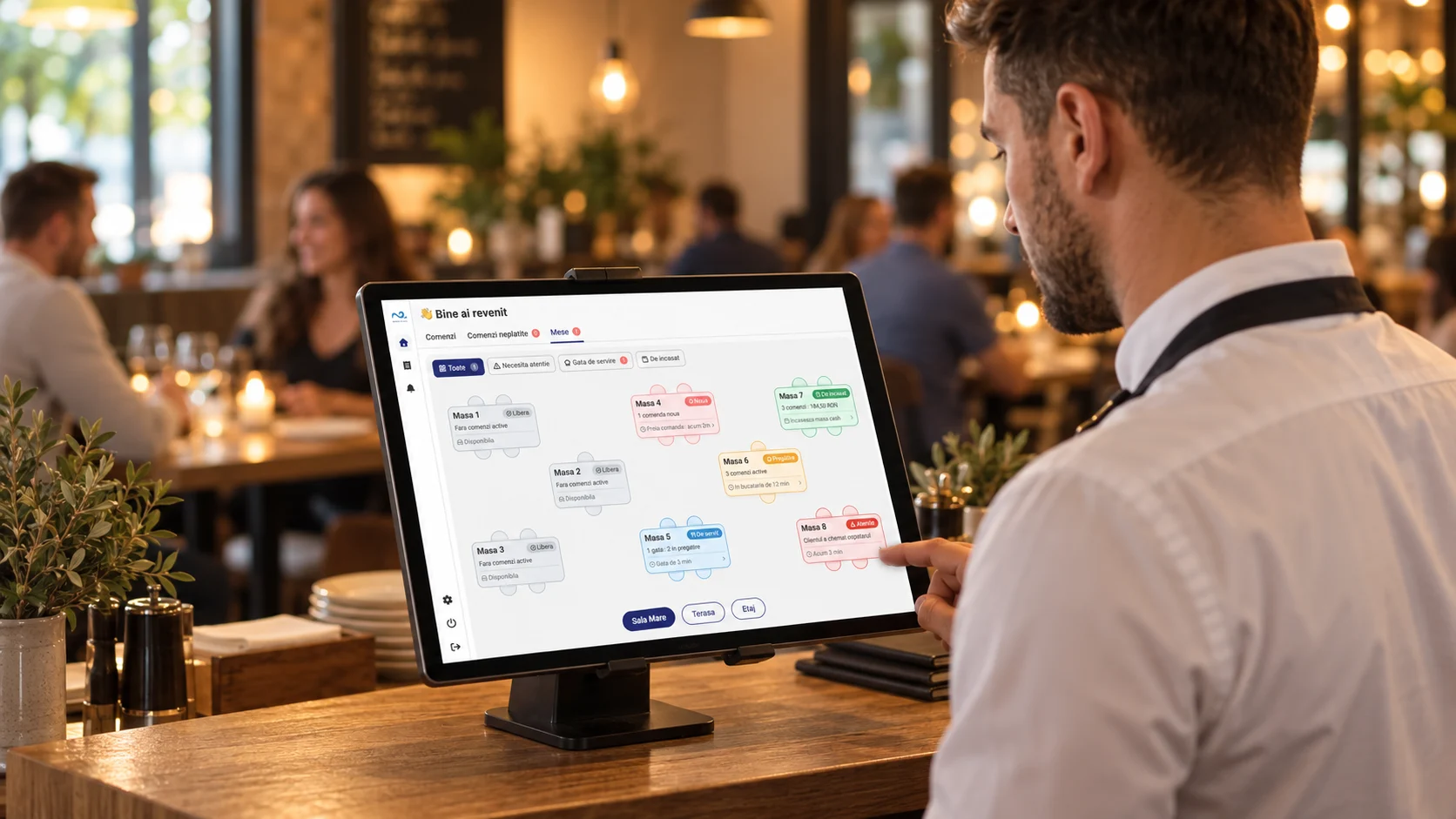
Waiter checking tables in the Nexus Retail Restaurant module
RestaurantQRKDS
  • See the status of each table
  • Track what is ready to serve
  • Take payment from the table
Tables and orders stay visible throughout service.

The restaurant, from the first order to payment

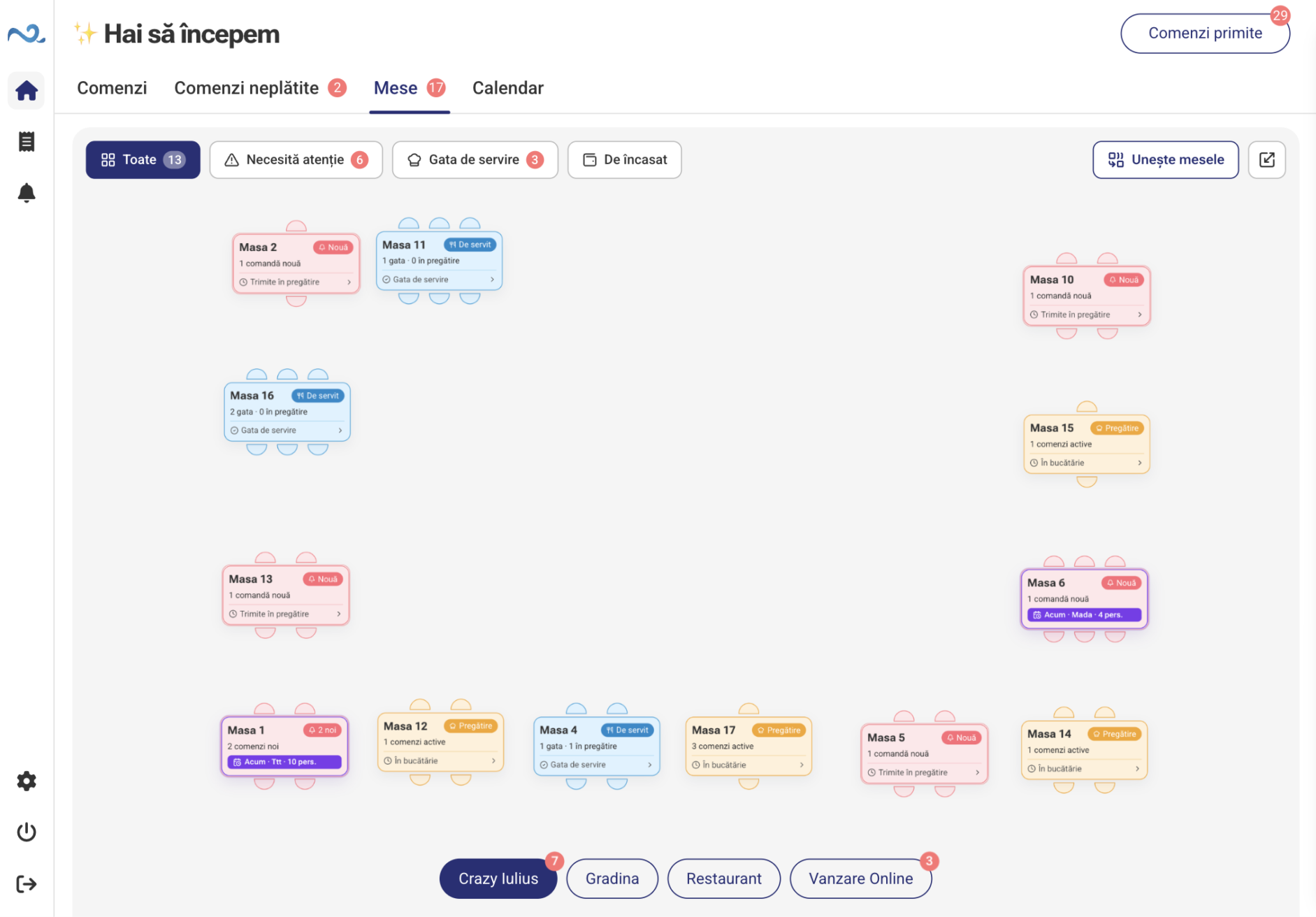
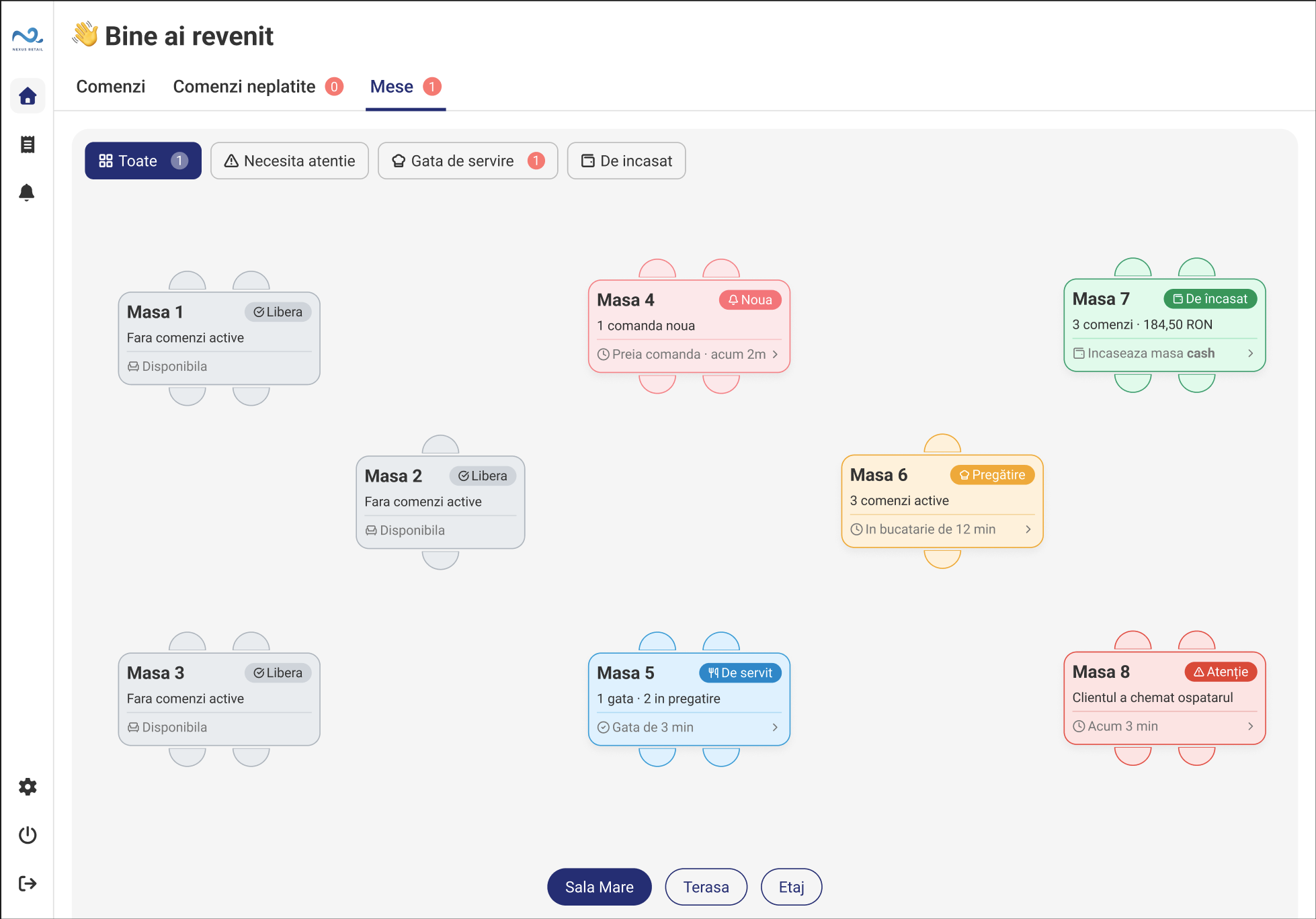
The floor plan shows free and occupied tables, orders to check, items to serve and tables awaiting payment.

1 / 4

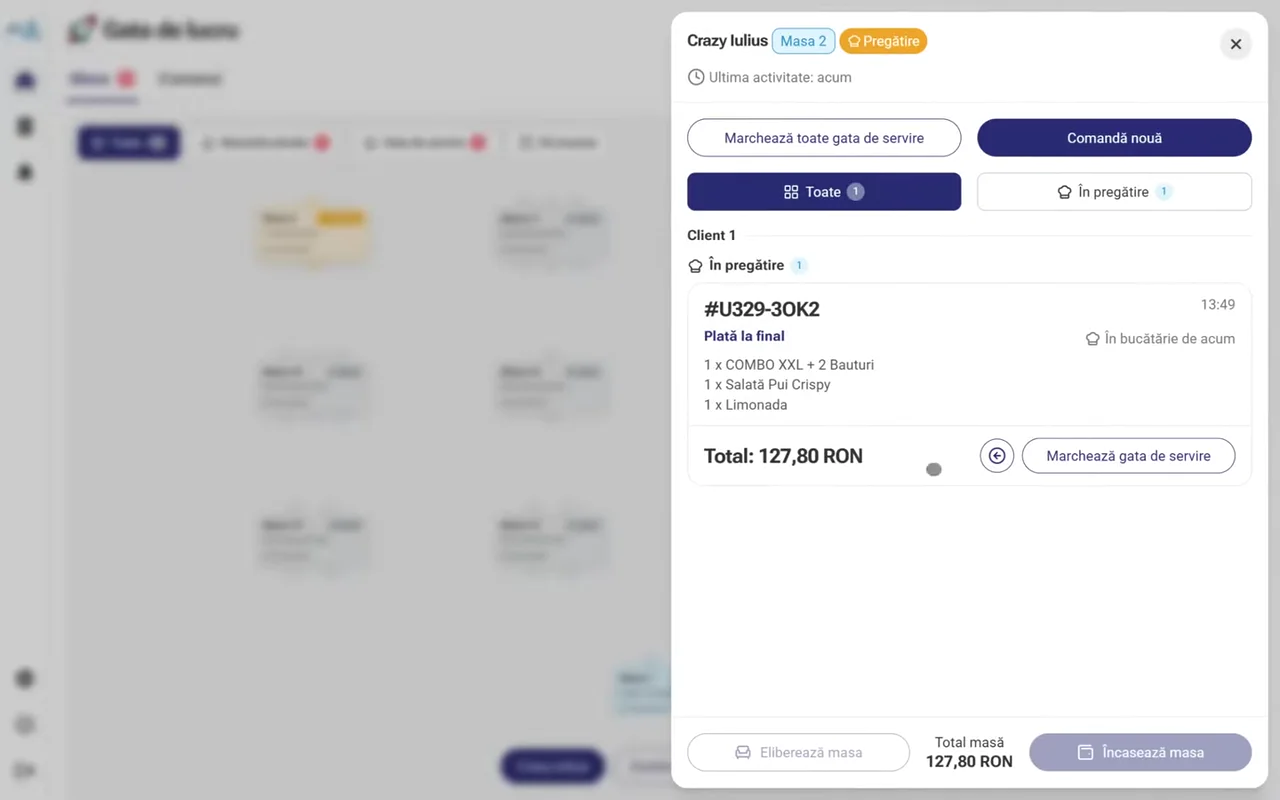
Open the table

Choose a room and table to see its orders and current status.

Open the table
2 / 4

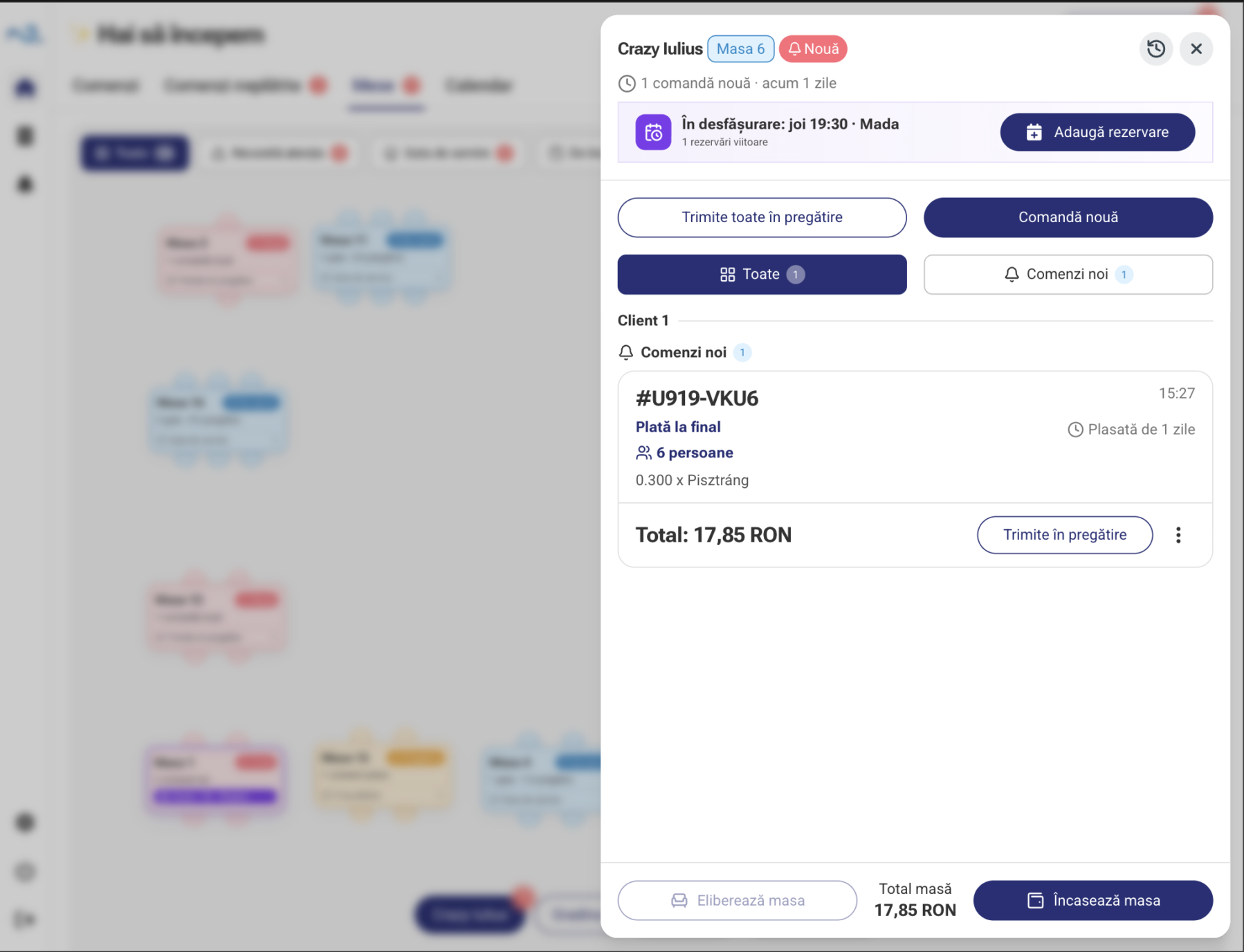
Take the order

Add items and options, or check orders received from guests through QR.

Take the order
3 / 4

Track service

See what is being prepared and what can be taken to the table. Update service in the same view.

4 / 4

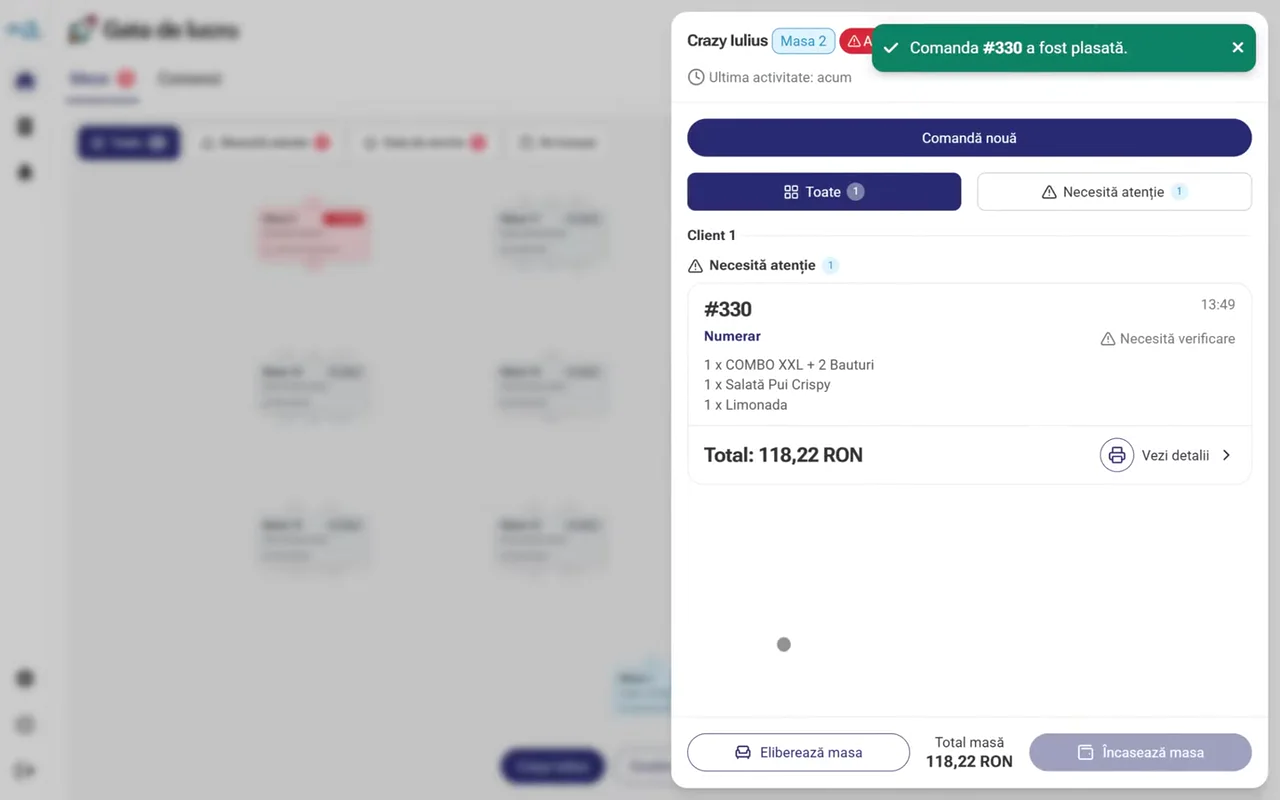
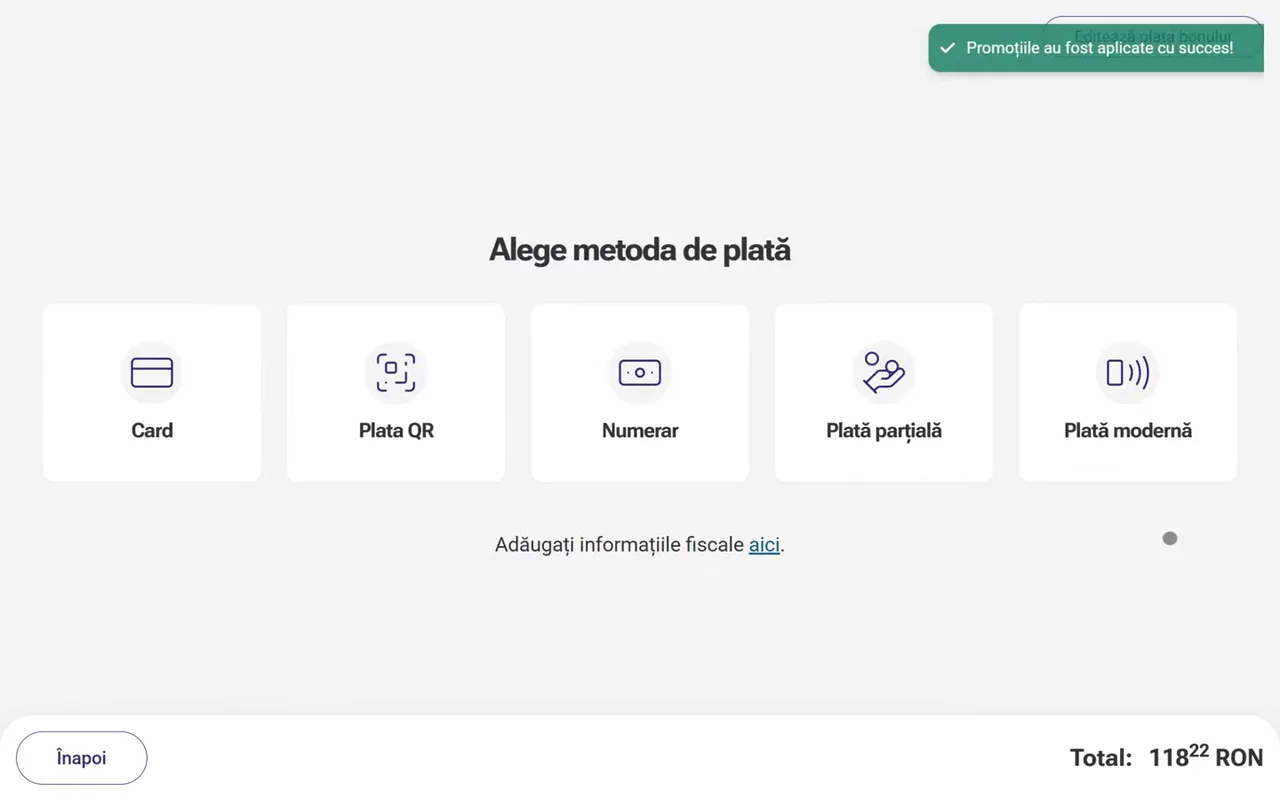
Take the table’s payment

Check the total, choose a payment method and add a tip when the guest wishes.

  1. Open the table

    Choose a room and table to see its orders and current status.

  2. Take the order

    Add items and options, or check orders received from guests through QR.

  3. Track service

    See what is being prepared and what can be taken to the table. Update service in the same view.

  4. Take the table’s payment

    Check the total, choose a payment method and add a tip when the guest wishes.

Waiters follow the floor from their phone

The Waiter app will bring tables, orders and guest requests to the floor team’s device.

Coming soon
0:00 / 0:00
Mobile Waiter POS provides the information needed right at the table

The dedicated Mobile Waiter POS will let the team follow tables and orders without constantly returning to the point of sale.

  • Tables assigned to the waiter
  • Active orders and new orders
  • Product status
  • What needs serving
  • Relevant totals and payments
  • Updates from Kitchen Display (KDS) and POS & Orders
From the guest’s phone to the restaurant team

QR ordering, the Restaurant module and the Kitchen Display (KDS) keep information connected to the same table.

Restaurant + Calendar

Reservations and tables, together

Restaurant connects with Calendar in POS & Orders. Create reservations directly from the floor plan and track online requests in the same calendar.

  • In POS & Orders, choose the table, date, time and duration. Check occupied intervals before saving.
  • When online booking is enabled, guests choose an available slot. The request reaches Calendar and follows the configured confirmation rules.
  • The floor plan shows reservations linked to tables, with their details alongside active orders.
Explore Reservations & Calendar
Restaurant floor plan with reservations visible on tables
The same tables, connected to Calendar reservations.

Online reservations

The customer books online. The reservation reaches POS & Orders.

Enable your location’s online booking platform so customers can reserve a table directly in their browser. Your team follows requests in the same Calendar used in the restaurant.

  1. The customer chooses a time

    On the online platform, the customer checks availability and selects the date, time and party size.

  2. They send the reservation

    They enter their contact details and submit the request without calling the location.

  3. The team sees it in Calendar

    The request reaches POS & Orders and is confirmed automatically or by your team, following the configured rules. The reservation also appears on its assigned table.

Stop treating courier integrator orders as a separate flow

Orders from integrated channels can enter the same flow as those placed on location, giving the team a clearer view of activity.

  • Less manual re-entry
  • The order source remains identifiable
  • Kitchen Display (KDS) receives the information it needs
Discover the Glovo & Wolt integration
0:00 / 0:00

Start with the applications you need

Nexus Retail is modular. The configuration can adapt to how orders are taken, prepared and delivered at each location.

0:00 / 0:00

Restaurant

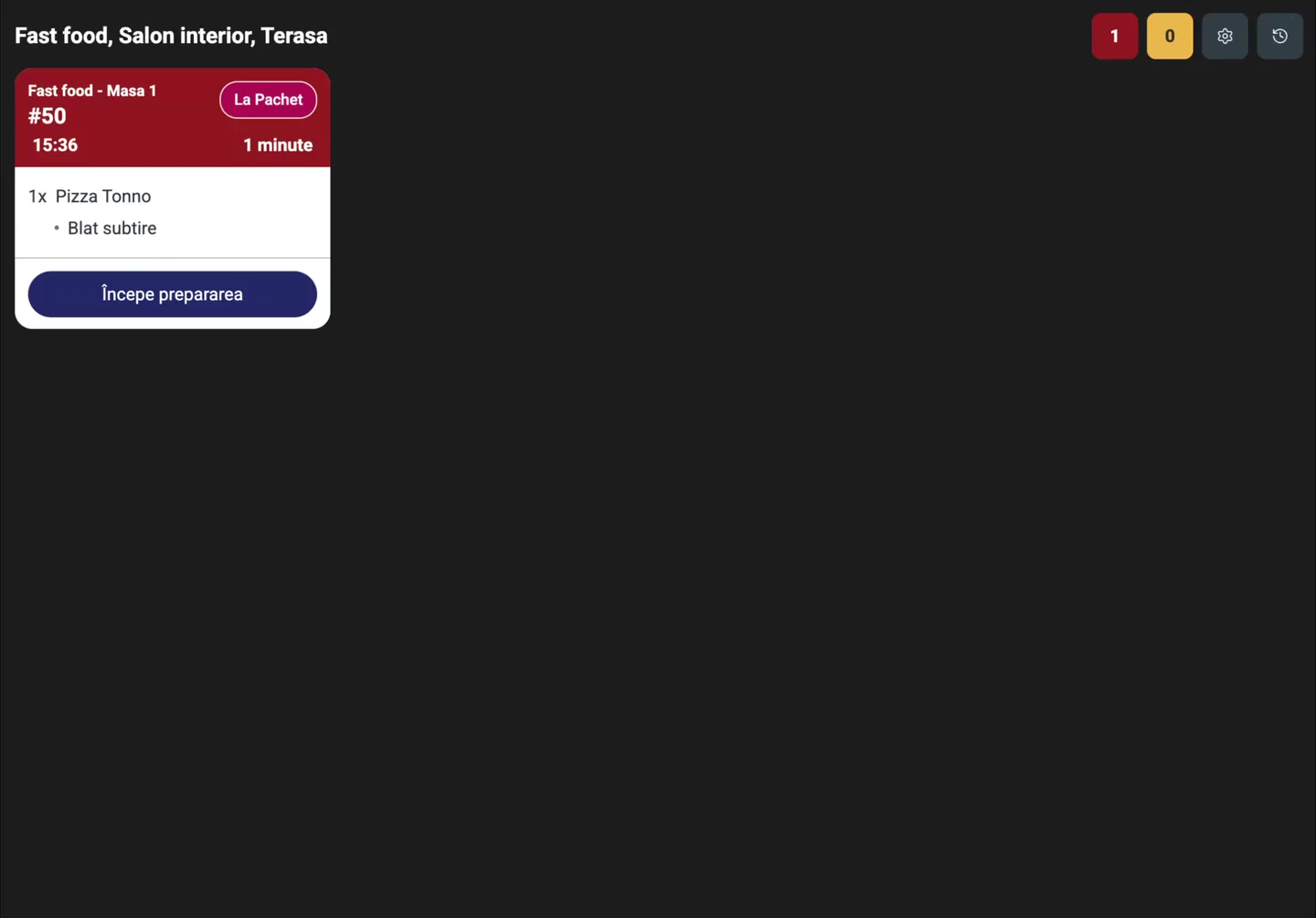
The team tracks tables, orders and items to serve, then opens payment directly from the table.

Explore the Restaurant module
Restaurant + Calendar

Restaurant + Calendar

Restaurant connects with Calendar in POS & Orders. Create reservations directly from the floor plan and track online requests in the same calendar.

Explore Reservations & Calendar
0:00 / 0:00

Online Ordering & QR

Guests order from their phone’s browser. The order reaches their table in the Restaurant module.

Discover Online Ordering & QR

Orders are easy to follow both in the location and in the kitchen

Questions about the restaurant flow

Do I need to use every Nexus Retail application?

No. The configuration can include only the applications and features needed by the location's way of working.

Do QR orders appear at the guest’s table?

Yes. When table ordering is configured, guests’ QR orders arrive in the table’s context in the Restaurant module.

Do orders reach Kitchen Display (KDS) automatically?

Orders configured for preparation can be sent to Nexus Kitchen Display (KDS) together with the products and information required.

Does Nexus Retail integrate with Glovo and Wolt?

Nexus Retail provides integrations for available platforms so external orders can be included in the operational flow.

Can I manage the restaurant from POS & Orders?

Yes. The Restaurant module brings together tables, orders, service and payment. Choose additional apps to suit the location.

Can I use Nexus Retail in multiple locations?

Yes. Locations and applications can be managed centrally from Nexus Administration.

Can I add QR ordering or the Kitchen Display later?

Yes. You can add the apps your team needs while keeping orders in the same system.

Is Nexus Retail connected to Nexus ERP?

Yes. Nexus Retail is designed to work as an integrated part of the Nexus ERP ecosystem, depending on the available configuration.

See what your location's complete flow could look like

Tell us how you take orders, how preparation works and which channels you use, and we will present the right Nexus Retail configuration.

Schedule a demo