

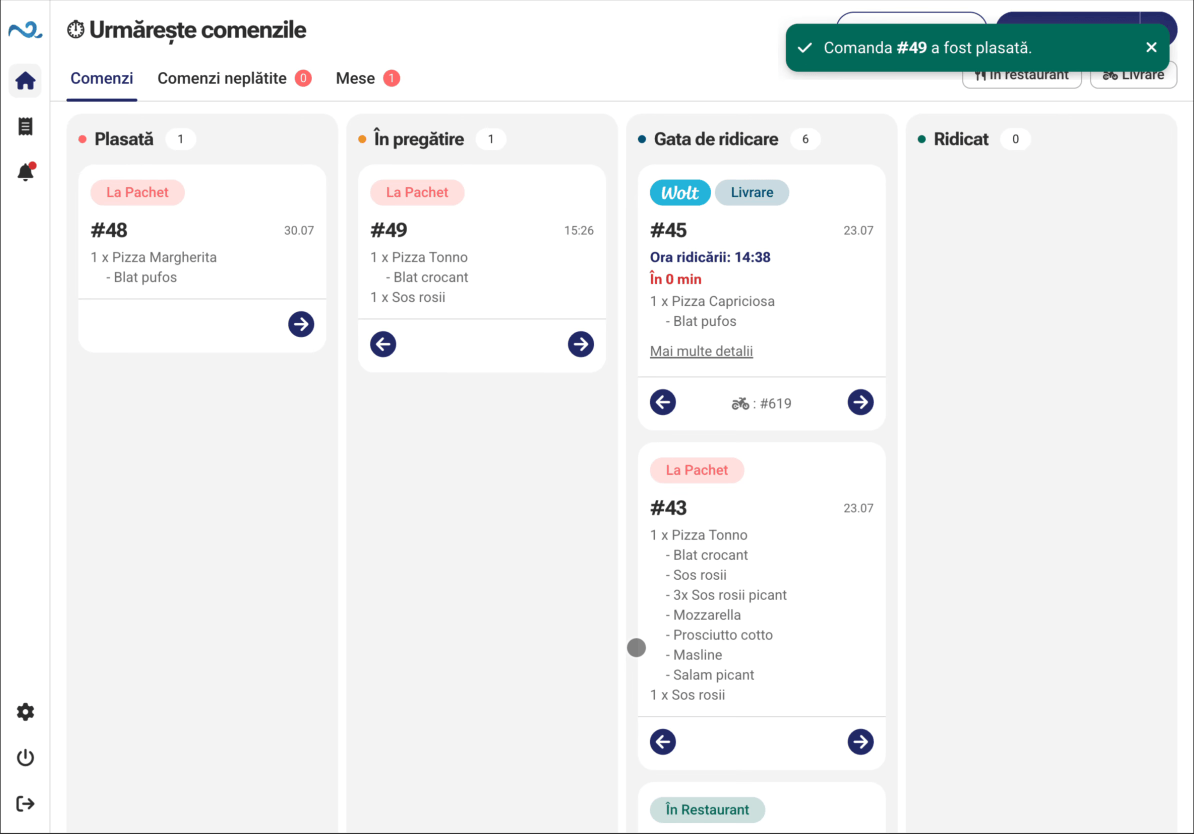
More orders, one workflow
Nexus Retail centralizes orders from the counter, Kiosk, phone and delivery platforms and sends them to the team that needs to handle them.
- Orders stay visible
- Preparation stays connected
- Customers see when to collect
Kiosk Self-Service
POS & Orders
Order Status
Every order follows the same workflow, wherever it starts
1 / 5
The customer orders
An employee can enter the order, or it can arrive from a Kiosk, phone or active integration.




2 / 5
The order enters POS & Orders
Orders are centralized and the source of each one remains visible.

3 / 5
Preparation starts
Products, options and notes reach Kitchen Display (KDS).

4 / 5
The order is ready
The team updates the status when preparation is complete.

5 / 5
The customer is informed
The order number appears automatically in Order status.


The customer orders
An employee can enter the order, or it can arrive from a Kiosk, phone or active integration.
The order enters POS & Orders
Orders are centralized and the source of each one remains visible.
Preparation starts
Products, options and notes reach Kitchen Display (KDS).
The order is ready
The team updates the status when preparation is complete.
The customer is informed
The order number appears automatically in Order status.
The same order, the right information for everyone

The team sees every active order
Orders are centralized while their source and status remain visible.
- Order source
- Status
- Payments
- Available actions
Preparation sees only what needs doing
Products, quantities, options and notes go directly to the team.
- Products
- Options
- Notes
- Waiting time
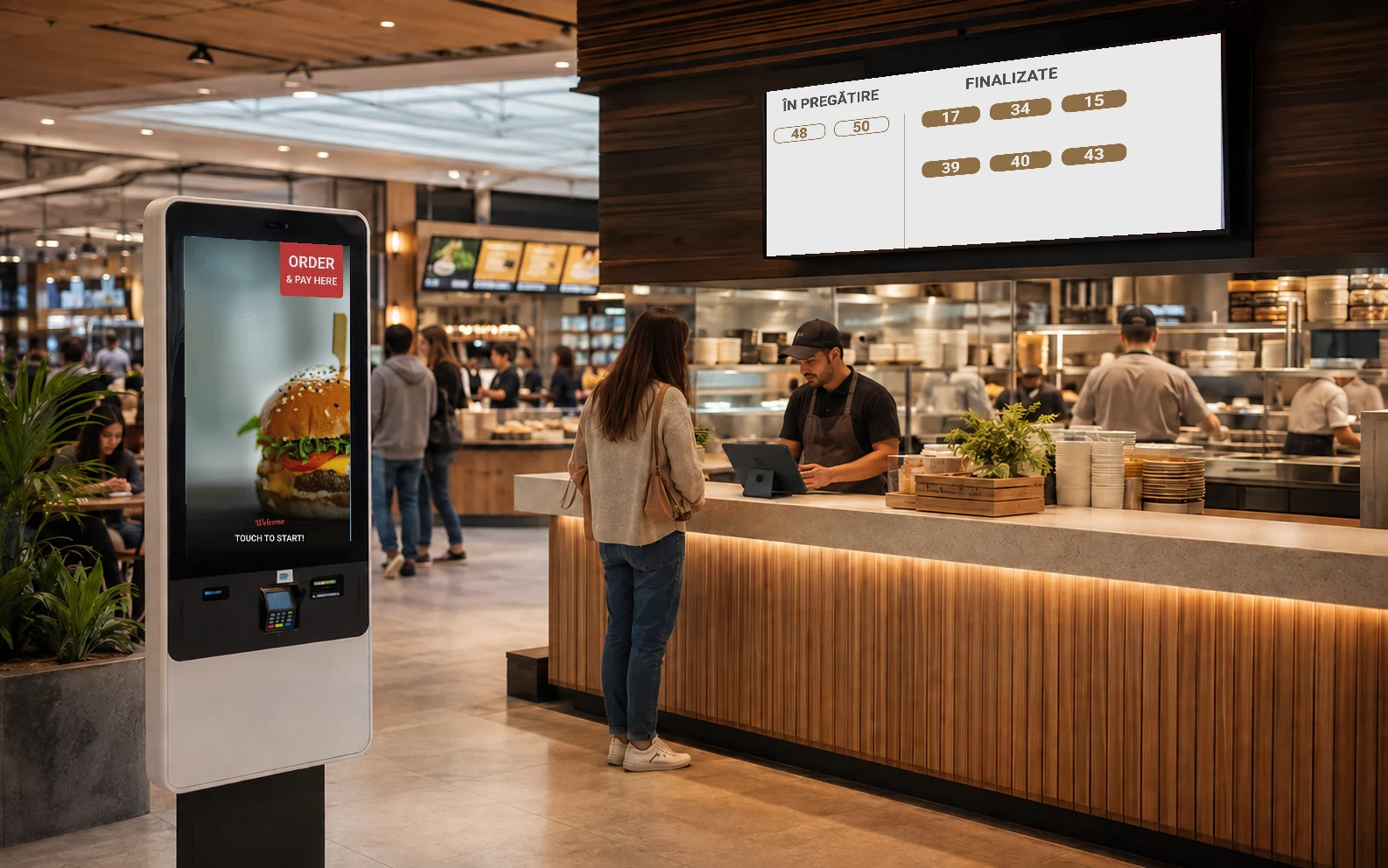
Customers see when they can collect
Order numbers are displayed clearly on a screen visible from a distance.
- Preparing
- Ready
- Large number
- Automatic update

0:00 / 0:00

Give customers another ordering point without overloading the counter
Kiosk Self-Service lets customers build and complete their own order, which then enters the same flow as employee-entered orders.
Customers build their own order
Products, options and the total remain visible before checkout.
The order enters the workflow automatically
An employee does not need to re-enter it.
You can add more devices
Devices can be added according to the configuration available for the location.
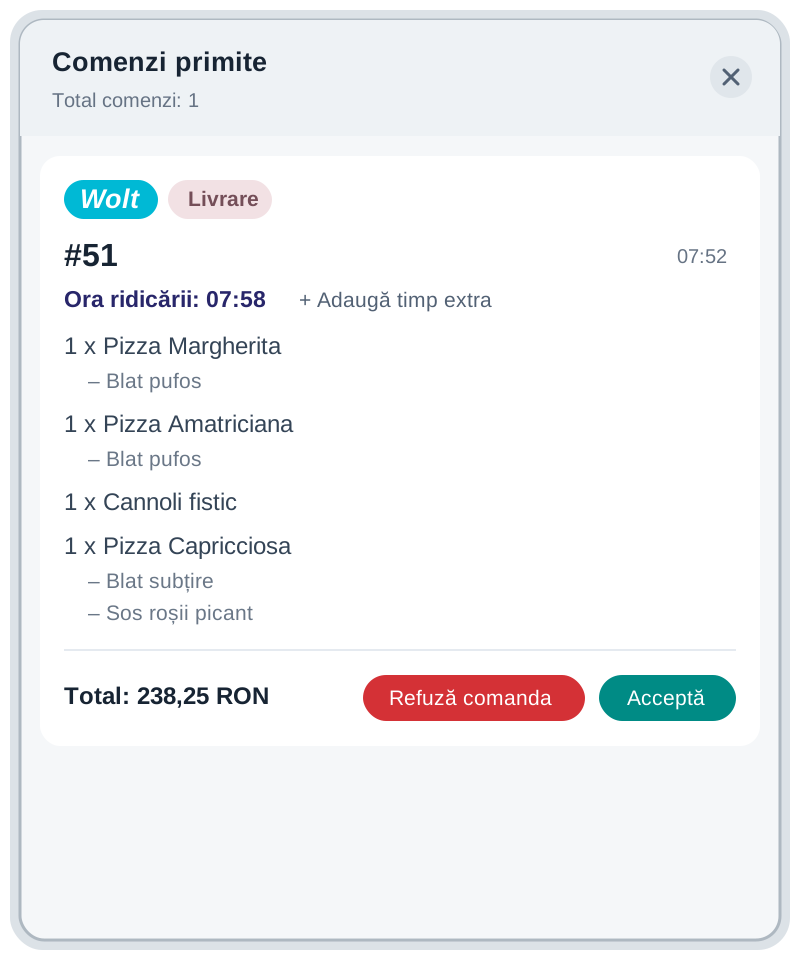
Delivery enters the same workflow as on-site orders
Orders received through Glovo and Wolt integrations can be tracked alongside other orders and sent into the preparation workflow.
- No manual order re-entry
- The source remains visible
- Every application receives the information it needs


0:00 / 0:00

Choose the applications that match how your location works
The setup can start simple and expand as volume grows or new ordering channels appear.
0:00 / 0:00
POS & Orders
POS & Orders centralizes on-site activity while Administration keeps the setup in one place.
Explore Orders & Payments
0:00 / 0:00
Kitchen Display (KDS)
Send products, options and notes directly to the preparation team.
Discover Kitchen Display (KDS)
0:00 / 0:00
Kiosk Self-Service
Add a self-service ordering point connected to the same operational workflow.
Discover Kiosk Self-Service
0:00 / 0:00
Order Status
Clearly display order numbers that are being prepared and ready for pickup.
Discover Order Status
0:00 / 0:00
Online & QR Ordering
Let customers access the menu and place an order from their own phone.
Discover Online & QR OrderingOn site, the applications work together. Behind the scenes, setup stays centralized.


Frequently asked questions about Nexus Retail in fast-food restaurants
Do I need to use every Nexus Retail application?
No. The setup is modular and can include only the applications needed for the location workflow.
Can I centralize counter, Kiosk and phone orders?
Yes. Orders from configured channels can enter the same operational workflow and be tracked together.
Can I use multiple Kiosks or POS points?
Devices and applications can be configured in Administration according to the structure and setup available for the location.
How do orders reach the preparation area?
Orders that need preparation can be sent to Kitchen Display (KDS) with the relevant products, options and notes.
How does the customer know an order is ready?
Order status can display the order number automatically when it reaches the relevant state.
Can I integrate Glovo and Wolt?
Yes. Available integrations can include orders from compatible platforms in the Nexus Retail workflow.
Can I manage multiple devices from one place?
Yes. Applications and devices are managed centrally in Administration according to the location setup.
Does Nexus Retail work with Nexus ERP?
Yes. Nexus Retail can integrate with Nexus ERP for the data and workflows available through the integration.
See how Nexus Retail fits your fast-food restaurant
Tell us how many ordering points you use, how preparation works and which channels you need, and we will show you the right setup.