



0:00 / 0:00
POS & Orders
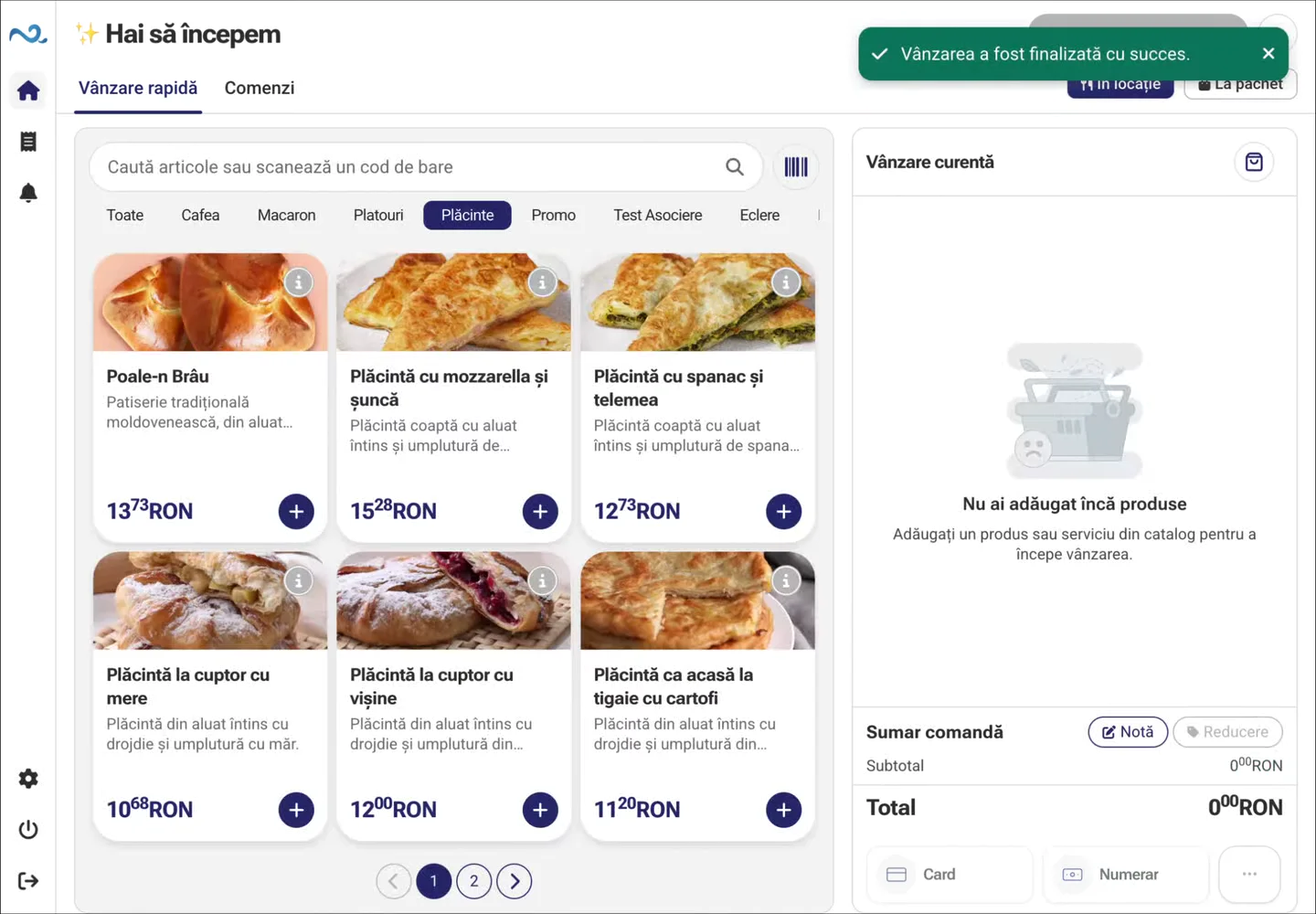
Quick Sale in POS & Orders combines the catalogue, basket and payment on one screen for counter sales.
Explore Quick SaleNexus Retail connects order taking, payment, preparation, and customer updates in a simple workflow built for the pace of a coffee shop.
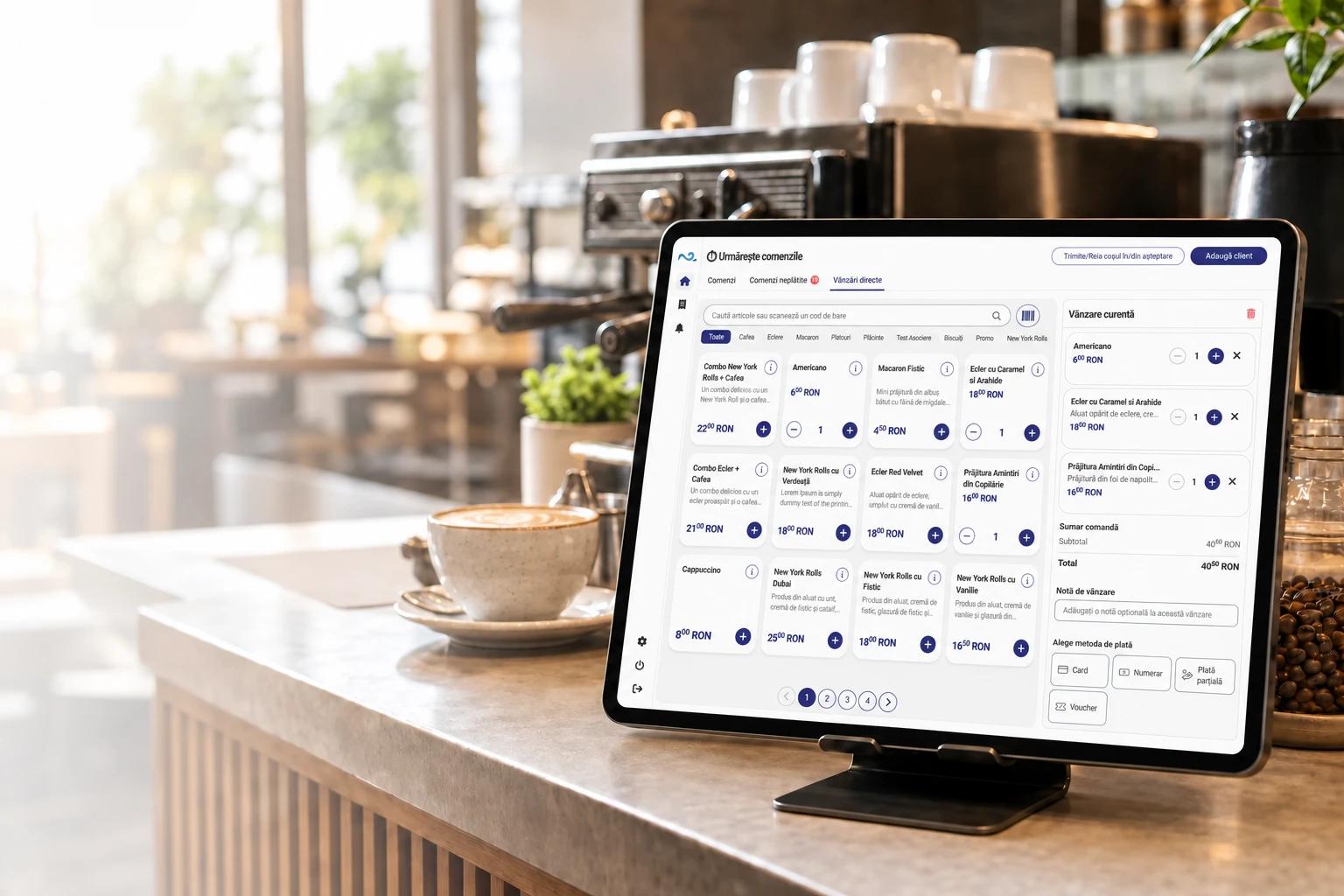
At the counter, Quick Sale brings products, the basket and payment together in POS & Orders.
Use Quick Sale at the counter. Guests can also order from the QR menu.
Find the coffee or product, set quantities and review the Quick Sale basket.
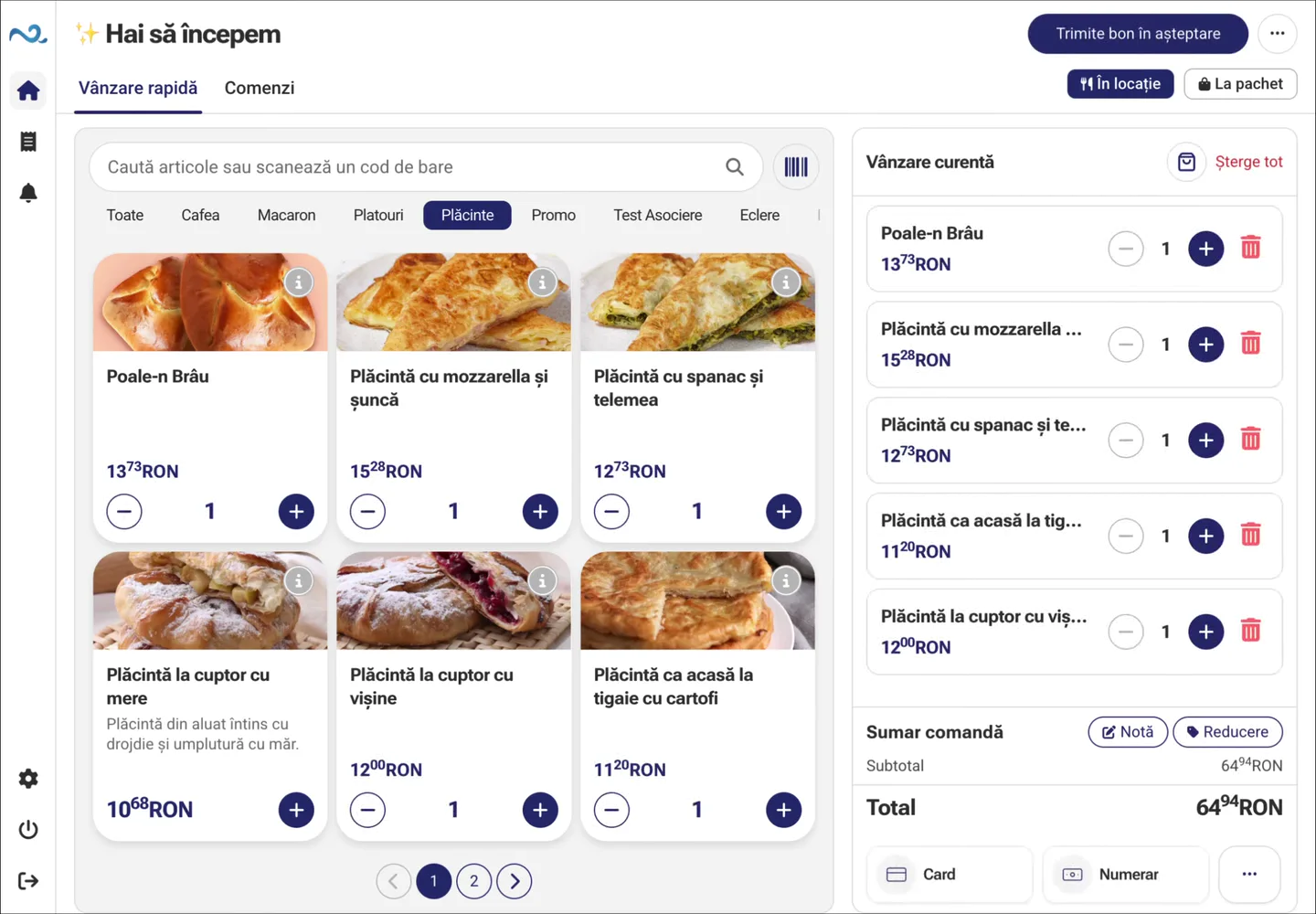
Check the total and choose the payment method without leaving Quick Sale.
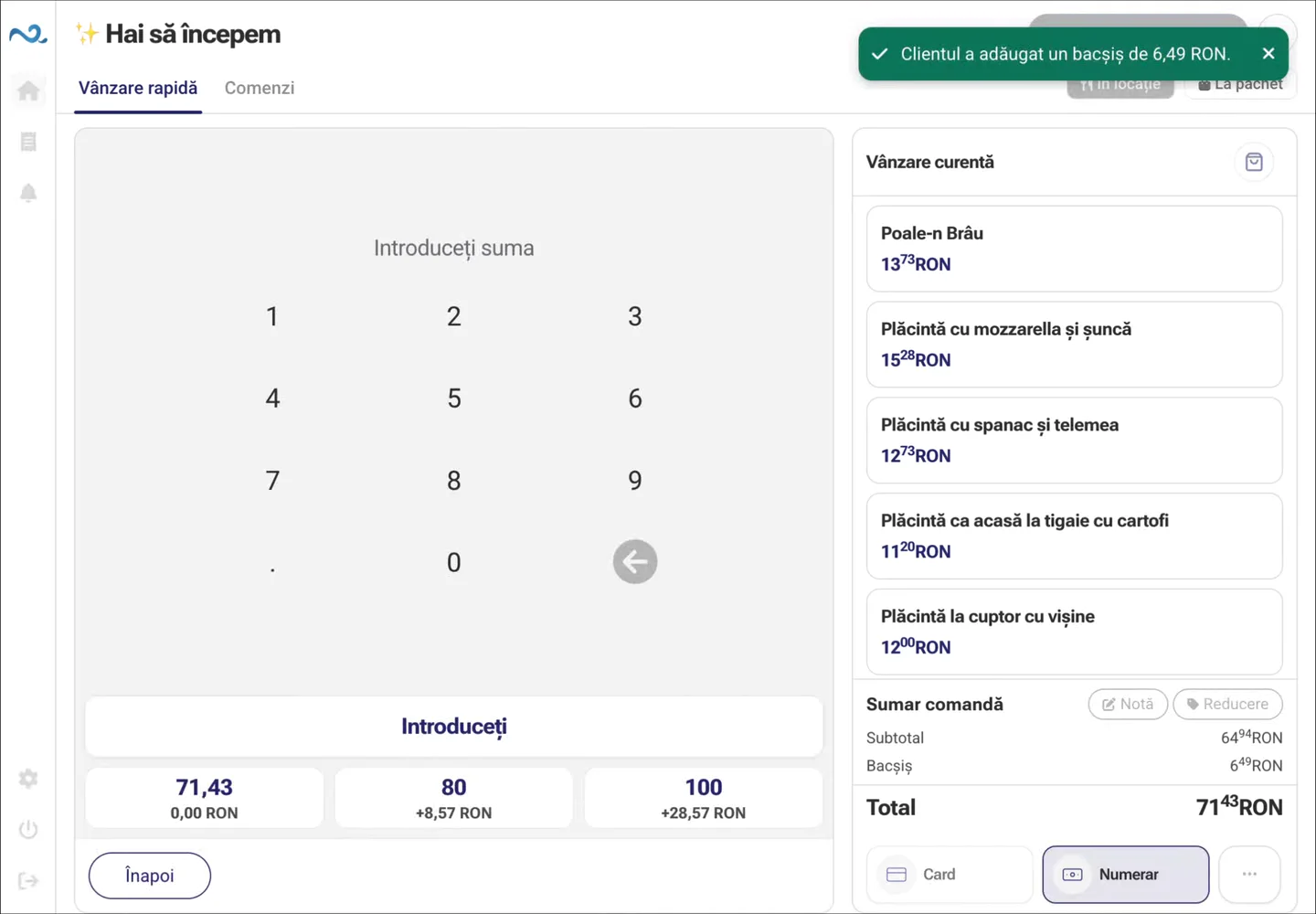
Payment confirmation completes the sale. You can move on to the next guest.
Use Quick Sale at the counter. Guests can also order from the QR menu.
Find the coffee or product, set quantities and review the Quick Sale basket.
Check the total and choose the payment method without leaving Quick Sale.
Payment confirmation completes the sale. You can move on to the next guest.
Customers choose products and options in a touch interface without waiting for an employee to take their order.
Discover Kiosk Self-ServiceCustomers can open the menu and place an order from their own phone without installing an app.
Discover Online & QR OrderingCustomer Display shows products, quantities, discounts, tips, and the order total entered in POS & Orders in real time.
When there is no active order, the screen can show images or videos configured for the location.
A small coffee shop can start with POS & Orders and Customer Display, while busier locations can add self-service.
Quick Sale in POS & Orders combines the catalogue, basket and payment on one screen for counter sales.
Explore Quick SaleCustomer Display shows products, quantities, discounts, tips, and the order total entered in POS & Orders in real time.
See Customer Display in actionCustomers choose products and options in a touch interface without waiting for an employee to take their order.
Discover Kiosk Self-ServiceCustomers can open the menu and place an order from their own phone without installing an app.
Discover Online & QR OrderingFor a simple counter with clear information for the customer.
For busier locations with several ordering points.
No. You can start with only the applications your location needs and add Kiosk Self-Service or Online & QR Ordering later.
Yes. Orders from configured channels can reach the same operational workflow, so the team does not need to monitor separate systems.
Yes. Kiosk Self-Service supports ordering on a dedicated device or tablet, while Online & QR Ordering lets customers place orders directly from their phone.
Yes. With Customer Display, products, quantities, discounts, tips, and the total can be shown in real time on a customer-facing screen.
Yes. Locations, applications, devices, and configurations can be managed centrally from Administration.
Yes. Nexus Retail can work with Nexus ERP depending on the available integration and configuration.
Yes. You can start with a simple setup and gradually expand the ecosystem as new needs arise or order volume grows.
Together, we can identify the applications that fit your location and your team's pace.