One access point for employees' daily activities
POS & Orders brings together the activities performed by employees at the point of work in one application. Depending on the configuration set in Administration, users can manage orders and payments.
For on-site staff
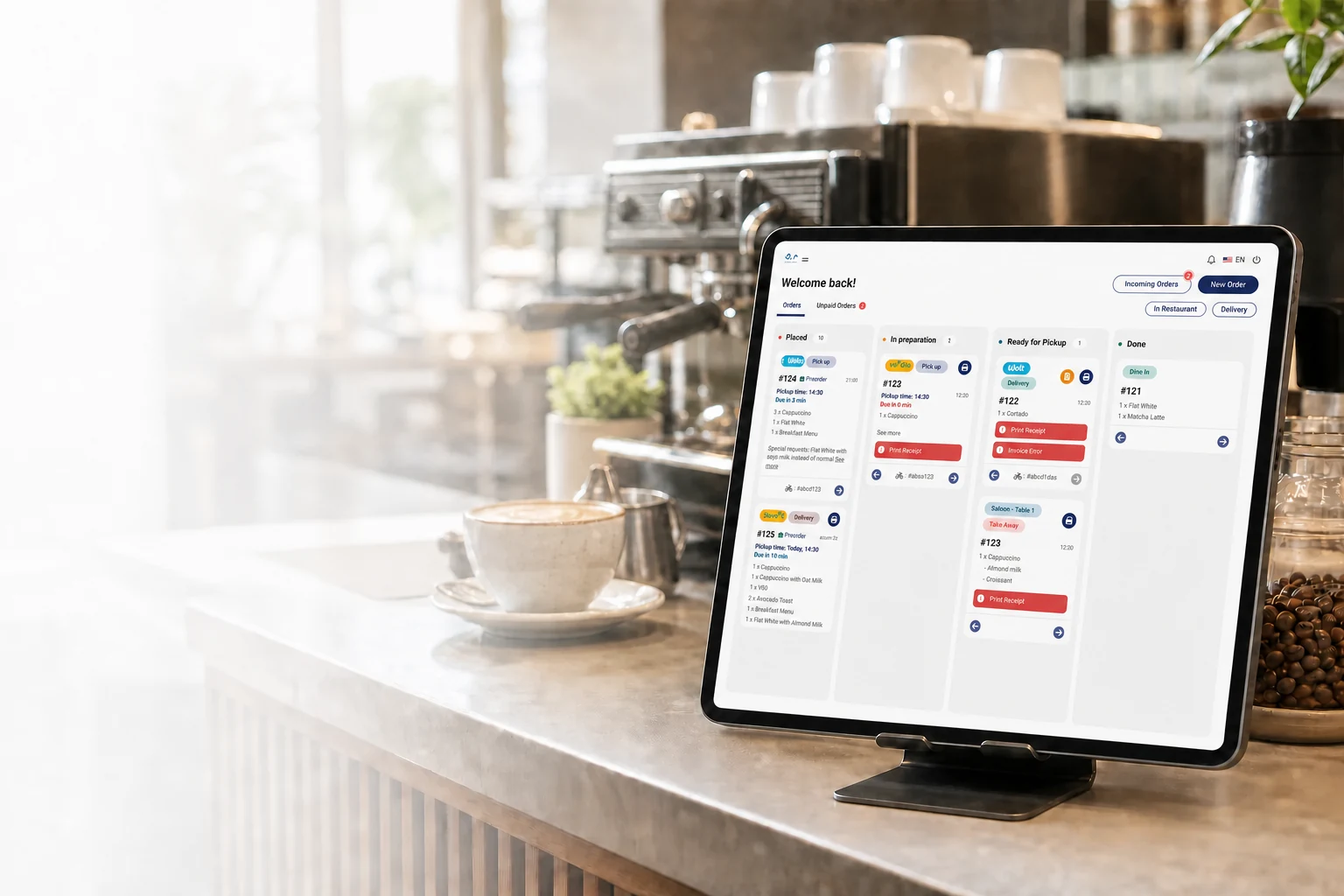
A workflow that is clear at a glance
Employees follow orders and available actions through an interface designed for the pace of the workplace.

0:00 / 0:00

Order management in one workspace
Three essential flows, without unnecessary steps
POS & Orders receives orders from the Kiosk, mobile app and website. Staff can also enter orders manually in the same workflow.
Accepts payments from the same place.
Tracks order status throughout service.
A workspace for every type of activity
POS & Orders separates important activities into dedicated modules. Employees can quickly move from order management to payments, Restaurant, Quick Sale, or Reservations & Appointments without mixing all information on the same screen.
Orders
Follow orders throughout processing
The Orders module centralizes active orders and organizes them by stage. Employees can quickly see which orders are new, in preparation, ready, or completed and perform the actions available for each status.
Explore the module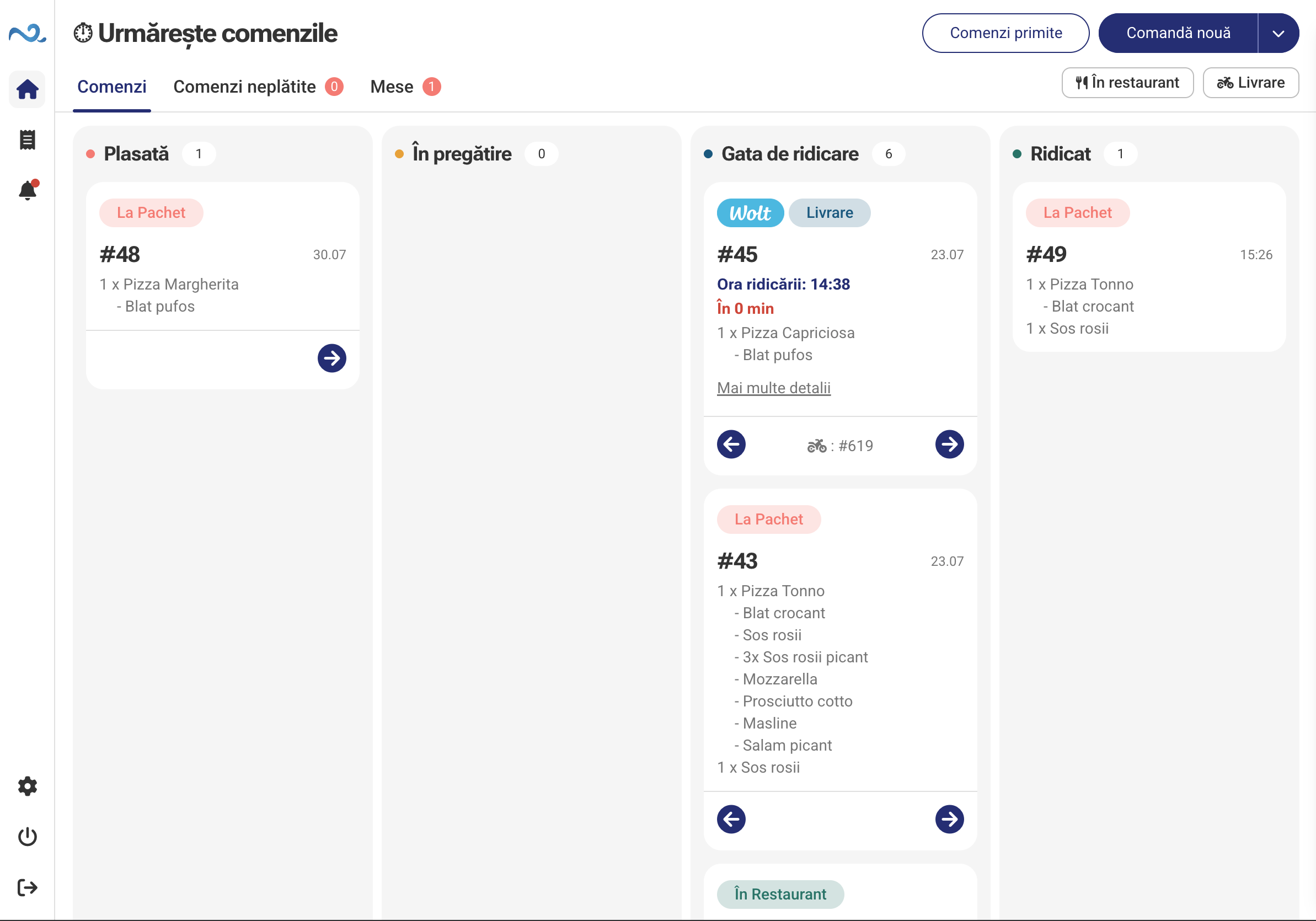
Orders
Follow orders throughout processing
The Orders module centralizes active orders and organizes them by stage. Employees can quickly see which orders are new, in preparation, ready, or completed and perform the actions available for each status.
Explore the moduleUnpaid orders
Every outstanding amount, kept in a separate place
Orders that have been placed but not yet paid in full are kept in a dedicated space. Employees can see the remaining amount, payment history, and continue the collection process.
Explore the module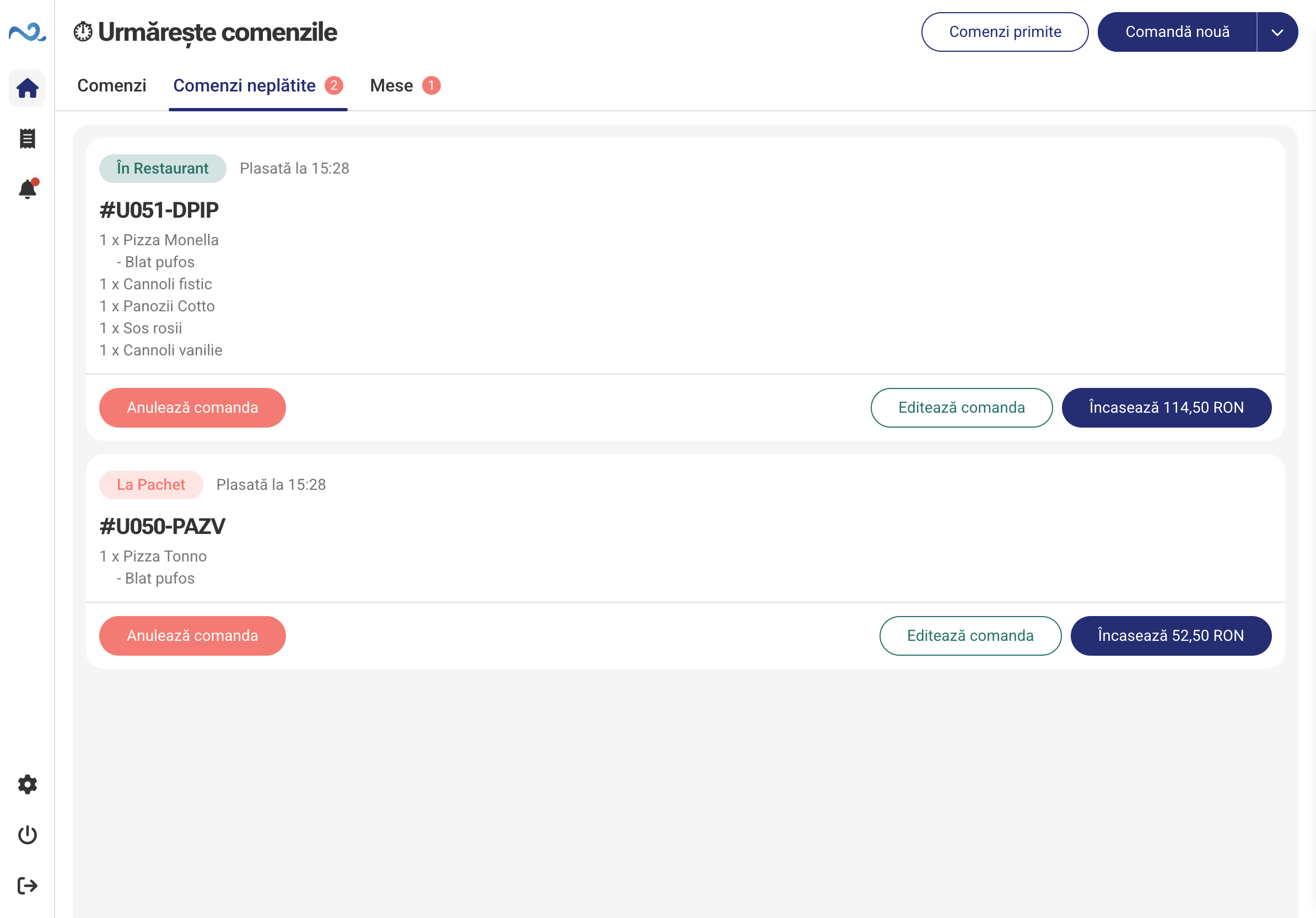
Restaurant
The restaurant floor, orders, and payments in one view
The Restaurant view shows the floor plan and the state of every table. Employees can filter tables that need attention, see active orders and items ready to serve, open new orders, and continue payment without leaving POS & Orders.
Explore the module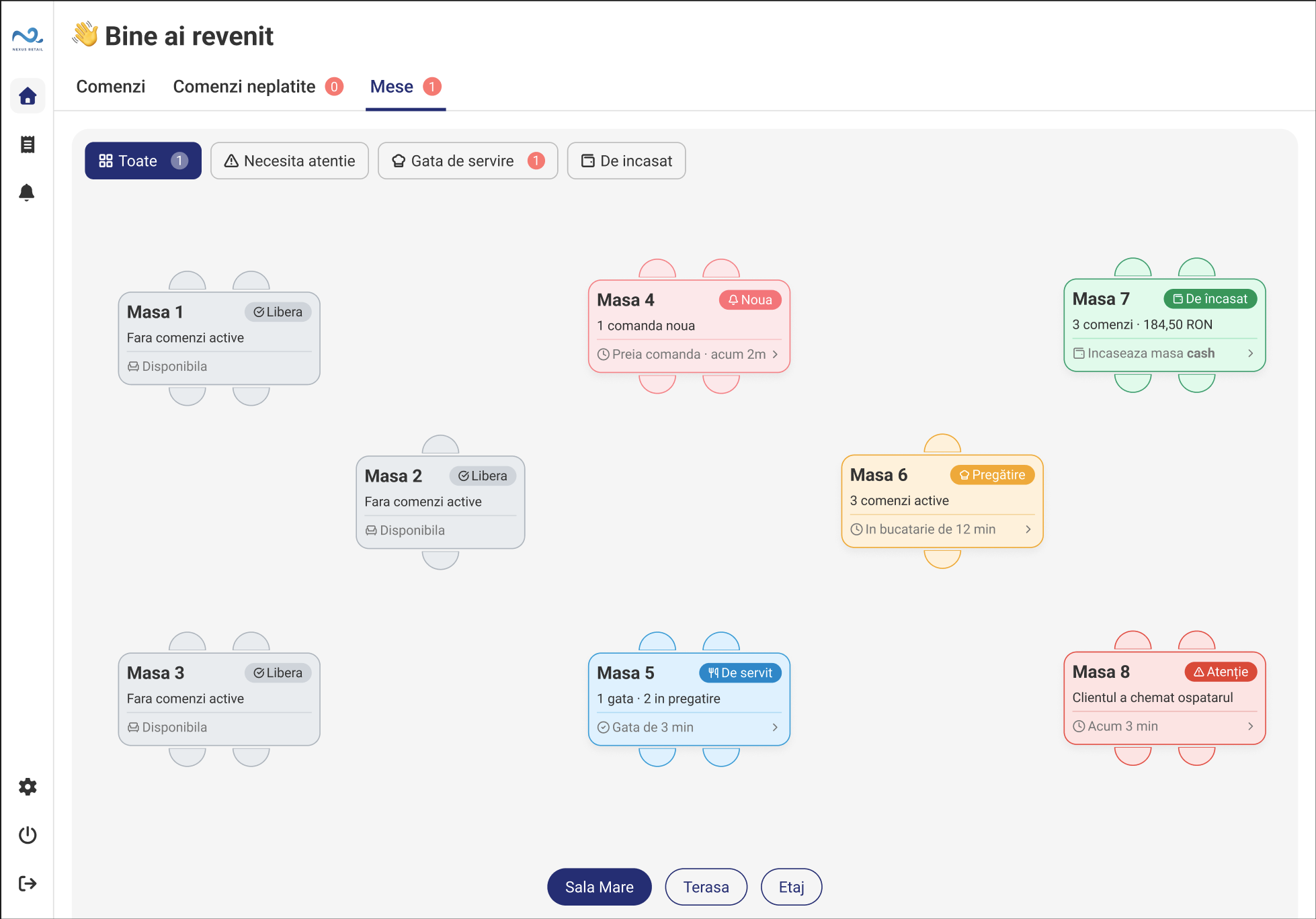
Quick Sale
Sales without a classic order flow
The Quick Sale module extends POS & Orders for activities that do not need a classic order and preparation flow. The employee can select the customer and sell products, services, packages, or subscriptions through a dedicated flow.
Explore the module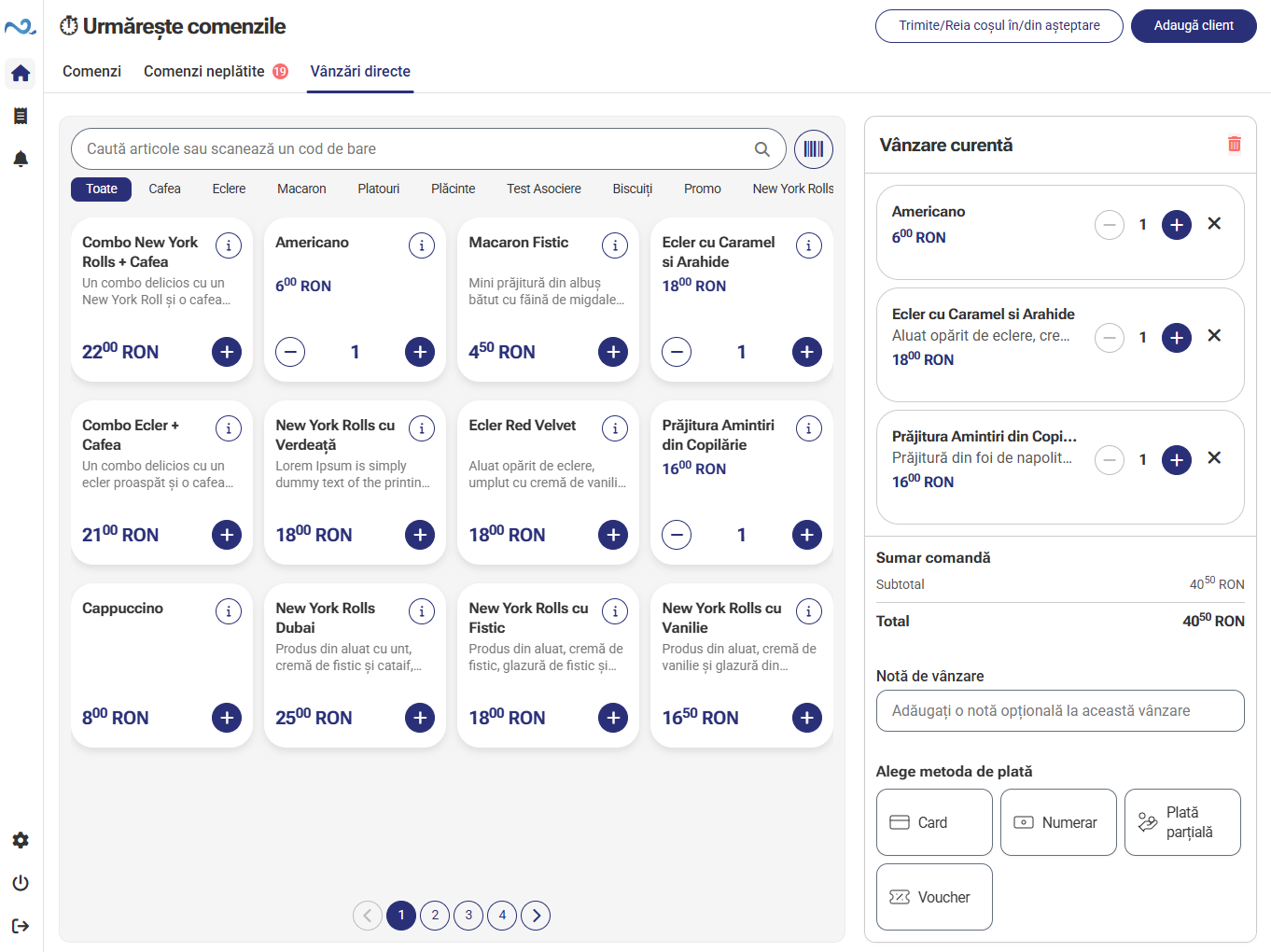
Reservations & Appointments
Manage appointments and reservations
Reservations & Appointments brings appointments, reservations, and resources into the same application used by employees. Users can view availability, add reservations, and manage changes without opening a separate system.
Explore the module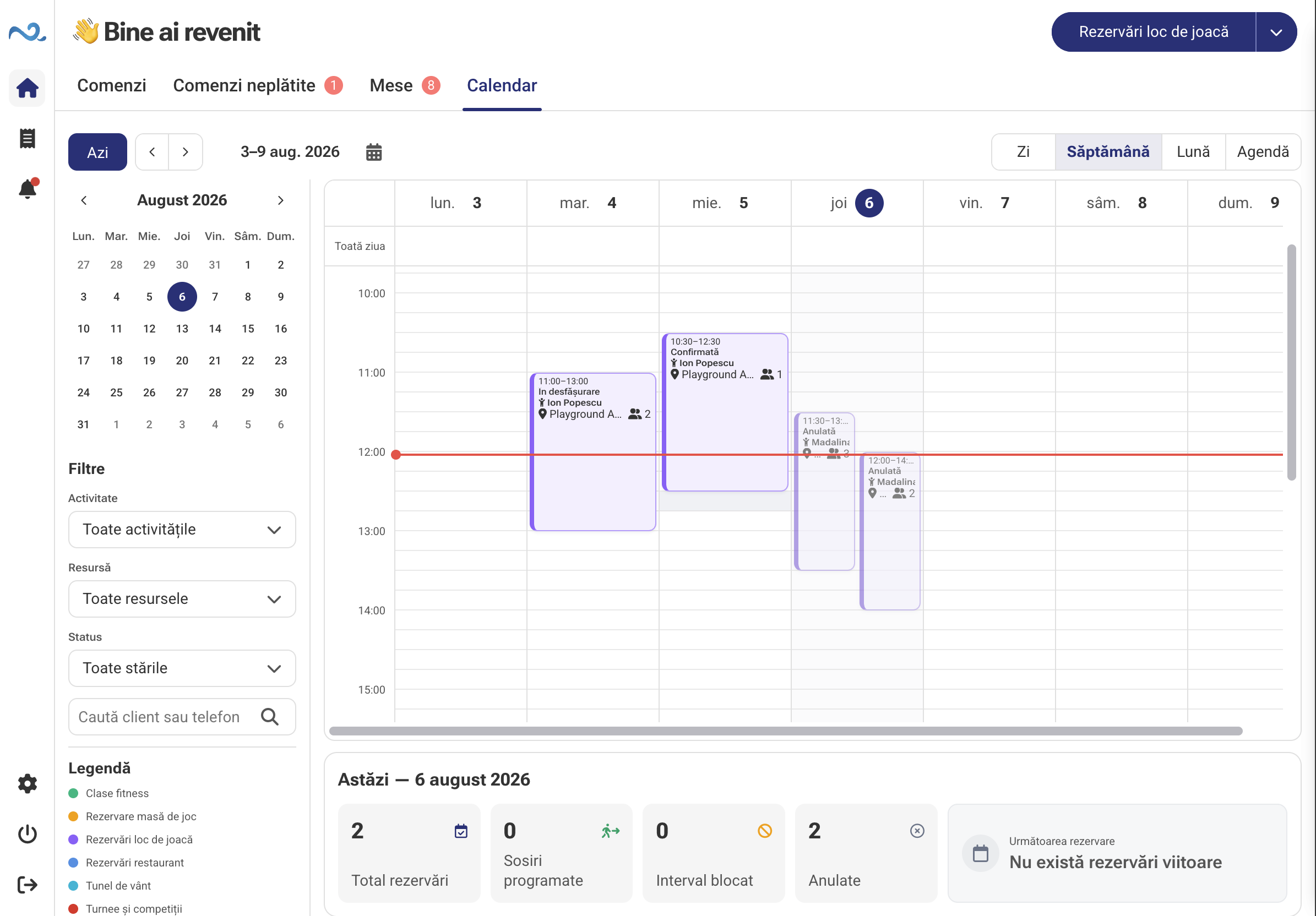
POS & Orders adapts to the way you work
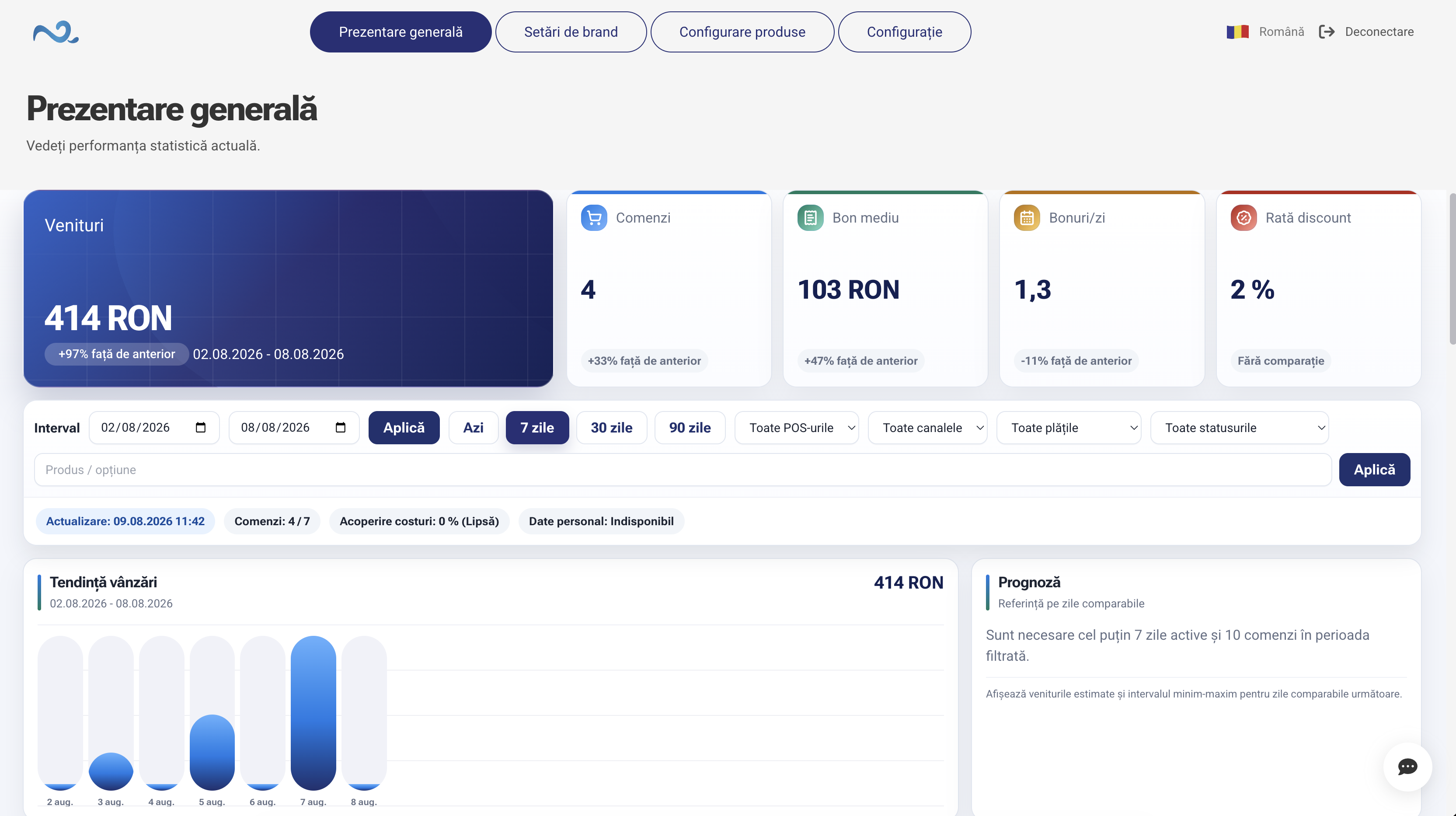
In Administration, you choose which modules are available in POS & Orders and how each activity is configured. This keeps the employee interface relevant to the workplace and free from unnecessary functionality.
Administration
Modules are enabled or disabled in the location configuration.
POS & Orders
Navigation updates to display only the modules that are needed.
The order is visible to the customer too
Customer Display is connected to POS & Orders. Its content updates in real time as the employee adds, changes, or removes products.
POS & Orders

POS & Orders
Customer Display

Customer Display
Tipping, in the same flow
When tipping is enabled, it appears on the same page as the products and order summary. The customer selects the preferred option and immediately sees the updated total.
External orders enter the same workflow
Orders received from Glovo and Wolt are centralized in POS & Orders alongside the location's other orders. The team can track and process them from the same workspace.



0:00 / 0:00
POS & Orders works with the other applications
POS & Orders receives and sends information to the configured applications and integrations so every operational stage uses the same data.
Kiosk Self-Service
Sends self-service orders into the same operational flow.
Online Ordering & QR
Adds phone orders to the POS & Orders flow.
Glovo & Wolt
Centralizes external orders according to the active integrations.
Kitchen Display (KDS)
Receives orders that need preparation and sends status updates.
Order Status
Shows customers the relevant order statuses.
Customer Display
Shows the customer the order being built by the employee.
Administration
Configures modules, products, devices, and operating rules.
Nexus ERP
Connects POS & Orders operations to the commercial data available through the integration.
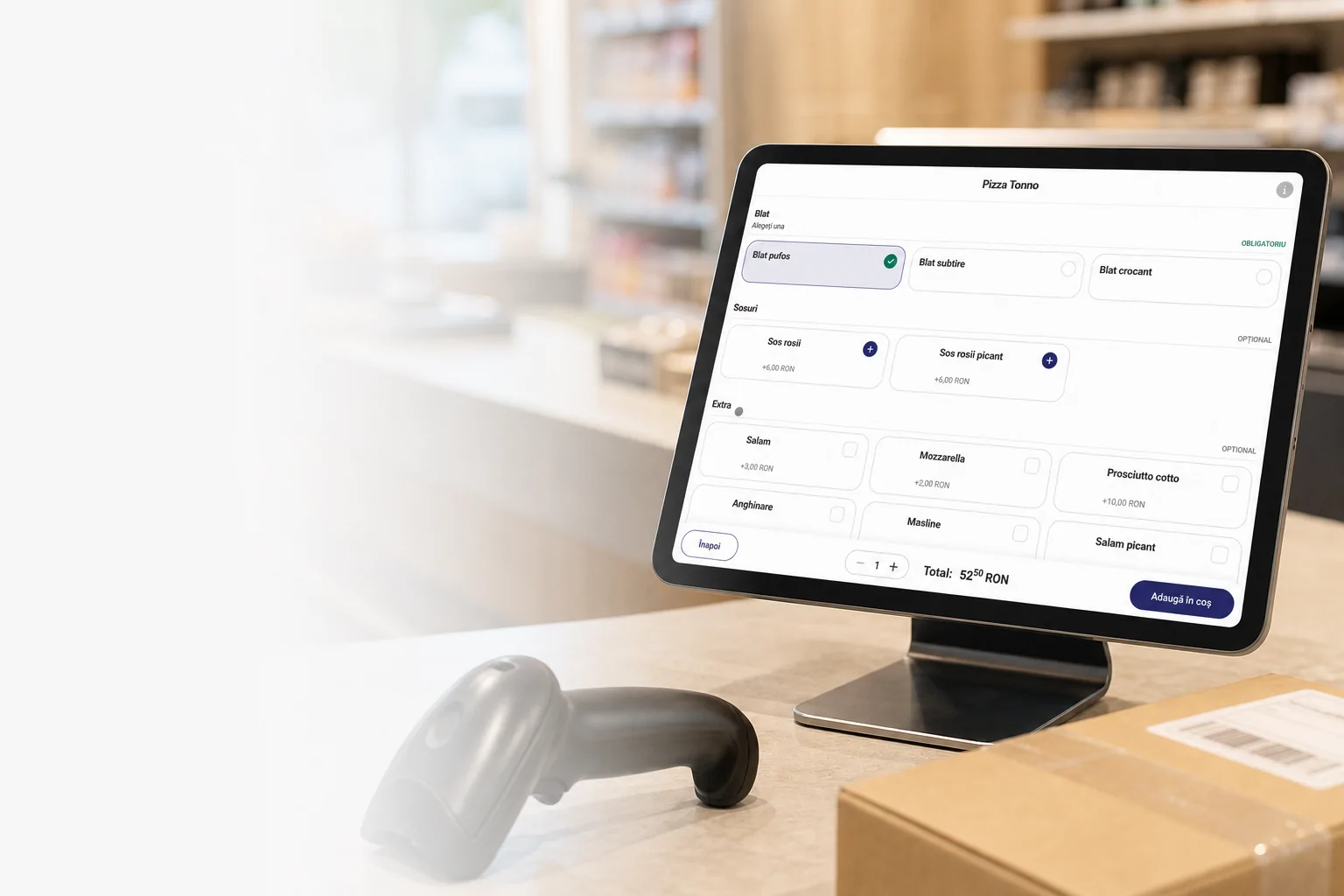
Built for daily activity at the workplace
Tablet
Desktop or compatible terminal
Responsive interface
Touch interaction
Multiple devices in the same location
Real-time updates
Connection and reconnection
Integration with supported equipment
Clear answers about POS & Orders
What is POS & Orders?
POS & Orders is the application employees use to manage workplace activities such as orders, payments, Restaurant, Quick Sale, and Reservations & Appointments.
Which modules can it include?
Depending on the Administration configuration, POS & Orders can include Orders, Unpaid Orders, Restaurant, Quick Sale, and Reservations & Appointments.
Do all modules need to be enabled?
No. Only the modules needed by each workplace can be configured.
Can locations have different configurations?
Yes. Modules and settings can be adapted to each location's way of working, according to the options available in Administration.
Can several employees work in POS & Orders?
Yes. POS & Orders can be used by multiple employees and on multiple devices, depending on the configured permissions and setup.
What is Customer Display?
Customer Display is connected to POS & Orders and shows products, discounts, tips, and the order total in real time.
Does POS & Orders work independently?
POS & Orders is used together with Administration and can connect to other Nexus Retail applications and integrations, depending on the selected configuration.
Discover how POS & Orders can be configured
During a demo, we present the available modules, how they are configured in Administration, and the connections to the other Nexus Retail applications.