Order directly from your phone with a simple scan
Ordering by QR code lets customers access the Nexus Retail catalog directly in the browser, choose products, and complete the order on their own phone without installing an app.
The customer's phone


The self-service experience, directly on the customer's phone
Each QR code can open the ordering experience configured for its location. Customers see the available products and options and can order without waiting for access to a dedicated device.
Directly in the browser
Up-to-date catalog
Connected to POS & Orders and Kitchen Display (KDS)
From scan to order in one flow
-
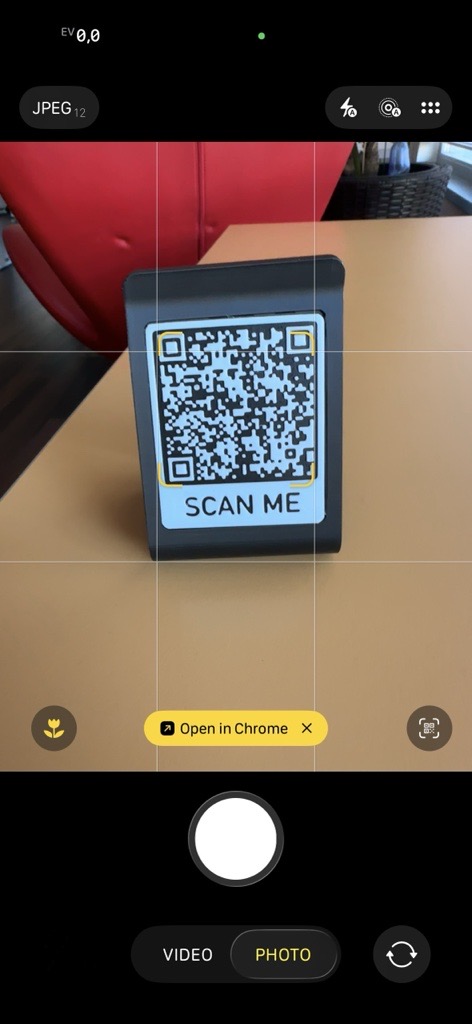
Scan the code
The customer scans the QR code with their phone camera and is directed to the page configured for that location or context.
-
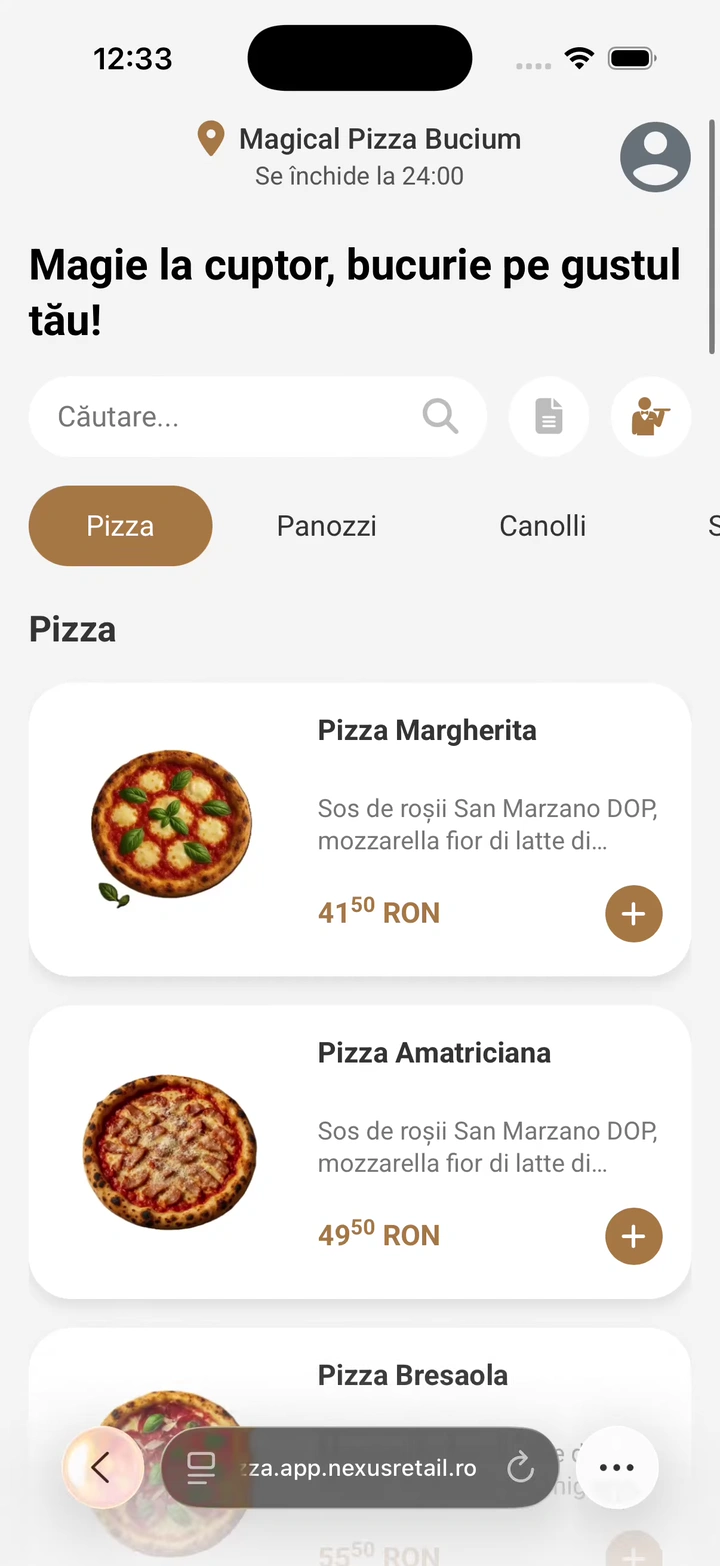
Explore the products
Categories, products, images, and prices appear in a mobile-optimized interface.
-
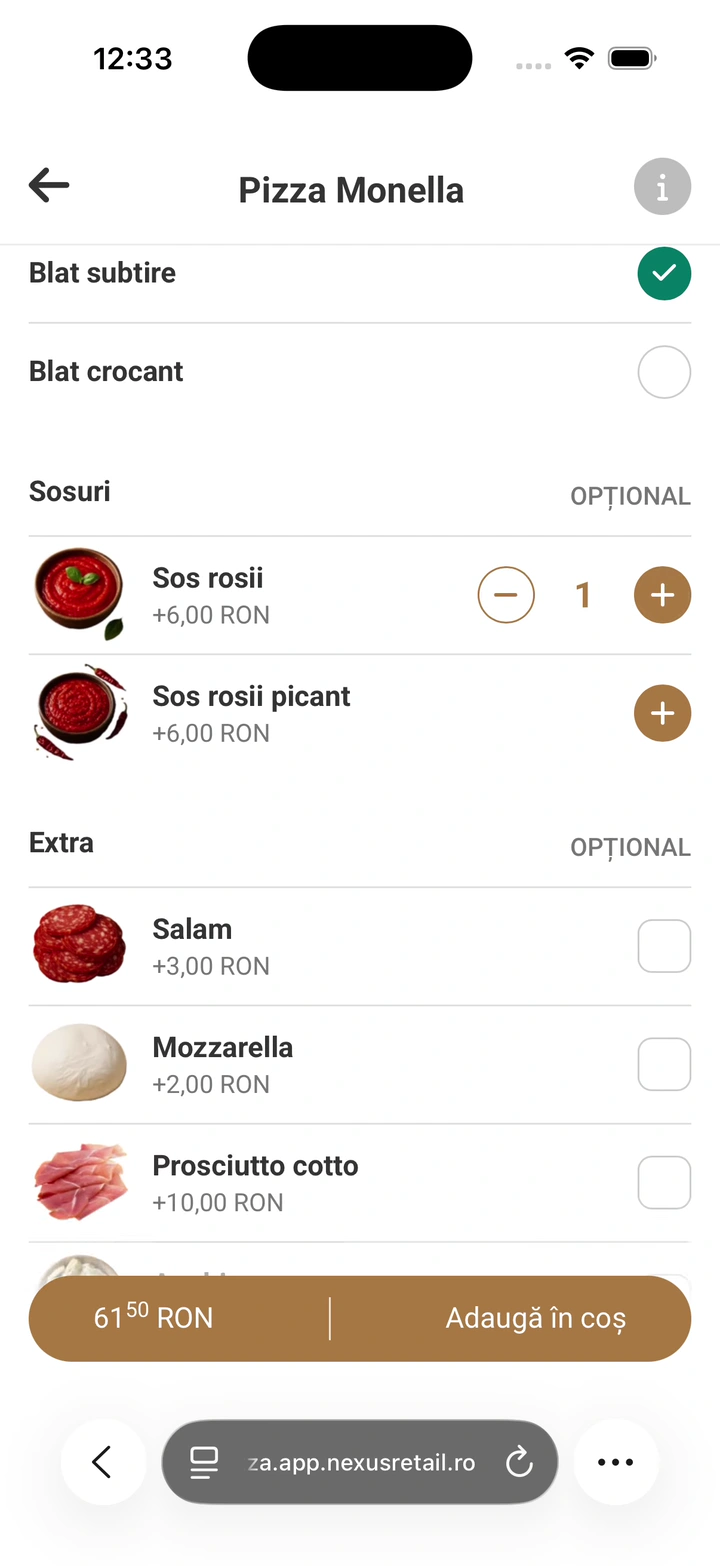
Configure products
The customer can select the available options, quantity, and other variants before adding an item to the cart.
-
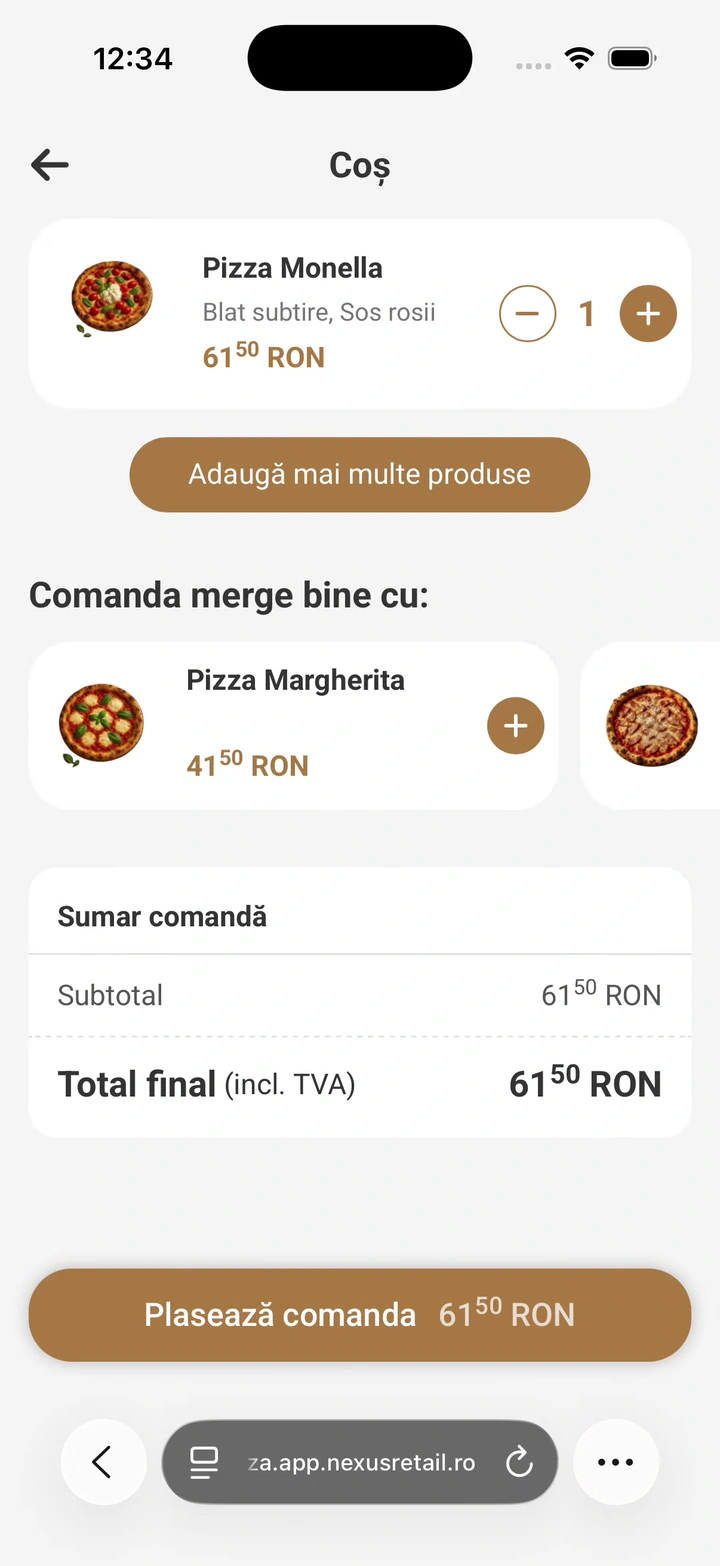
Review and complete
Products, options, discounts, and the total remain visible before the order is confirmed.
-
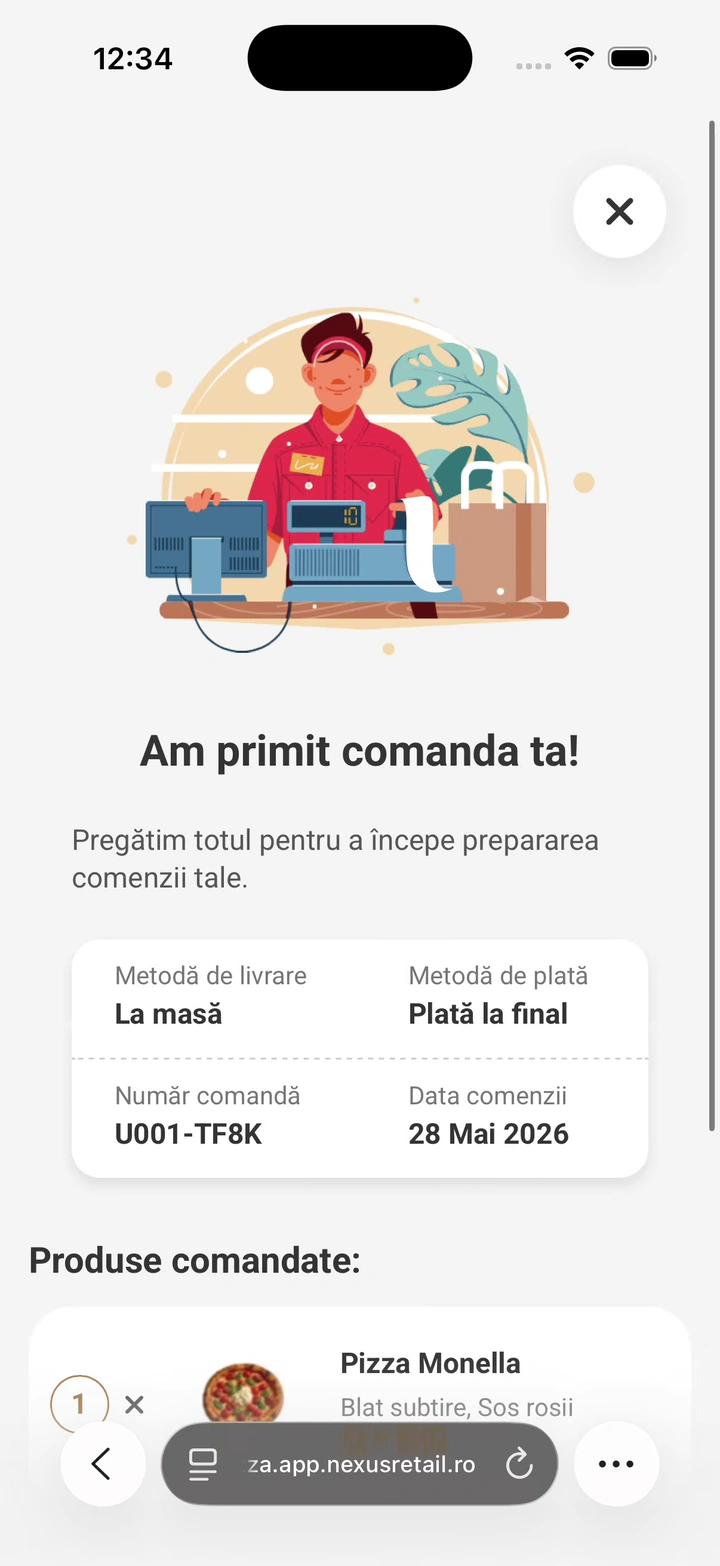
Receive confirmation
After placing the order, the customer receives confirmation and the relevant order information.
The phone order enters the same operational flow
Employees do not need to manage QR code orders in a separate system. They can enter the Nexus Retail flow together with orders from every other channel.
Scan the QR code
Order on the phone
POS & Orders
Kitchen Display (KDS)
Order Status
The customer sees when the order is ready
Administration
Configures the catalog and the experience.
POS & Orders
Receives and manages the order in the operational flow.
Kitchen Display (KDS)
Receives the products that need to be prepared.
Order Status
Can reflect the order status when the flow is configured to do so.
Nexus ERP
Relevant data is managed through the Nexus Retail integration with the ERP.
No installation. No mandatory account before you begin.
The customer opens the menu directly in the browser using the QR code. There is no need to download a dedicated app before starting the order.
0:00 / 0:00
No installation
Directly in the browser
Answers about Online Ordering & QR
What is Online Ordering & QR?
Online Ordering & QR is the Nexus Retail experience that lets customers access the catalog and place an order directly from their phone by scanning a QR code.
Does the customer need to install an app?
No. The experience is accessed directly in the browser.
Can the QR code be assigned to a table?
Yes. In configurations that use table-associated orders, the QR code identifies the table where the order begins.
Are the products configured separately?
No. The catalog and available information are managed centrally through Administration.
Can the customer pay directly from the phone?
The available payment methods depend on the configuration enabled for that location. Stripe payments are currently available.
Where does the order go after it is placed?
The order enters the Nexus Retail flow and can be managed in connected applications such as POS & Orders and Kitchen Display (KDS).
Can the experience be customized?
Yes. Branding and available content can be configured so the page remains consistent with the location's identity.
Can a location have multiple QR codes?
Yes. Codes can be used according to the structure and configuration defined for the location.
Turn the customer's phone into an ordering point
Discover how Online Ordering & QR works, how it is configured in Administration, and how orders enter the Nexus Retail ecosystem.