

Administration
Manages application configuration, devices and connections.
Kitchen Display (KDS) centralizes orders that need preparation and organizes them in a visual flow, so the team can quickly see what is new, in progress and ready to complete.
For the kitchen team
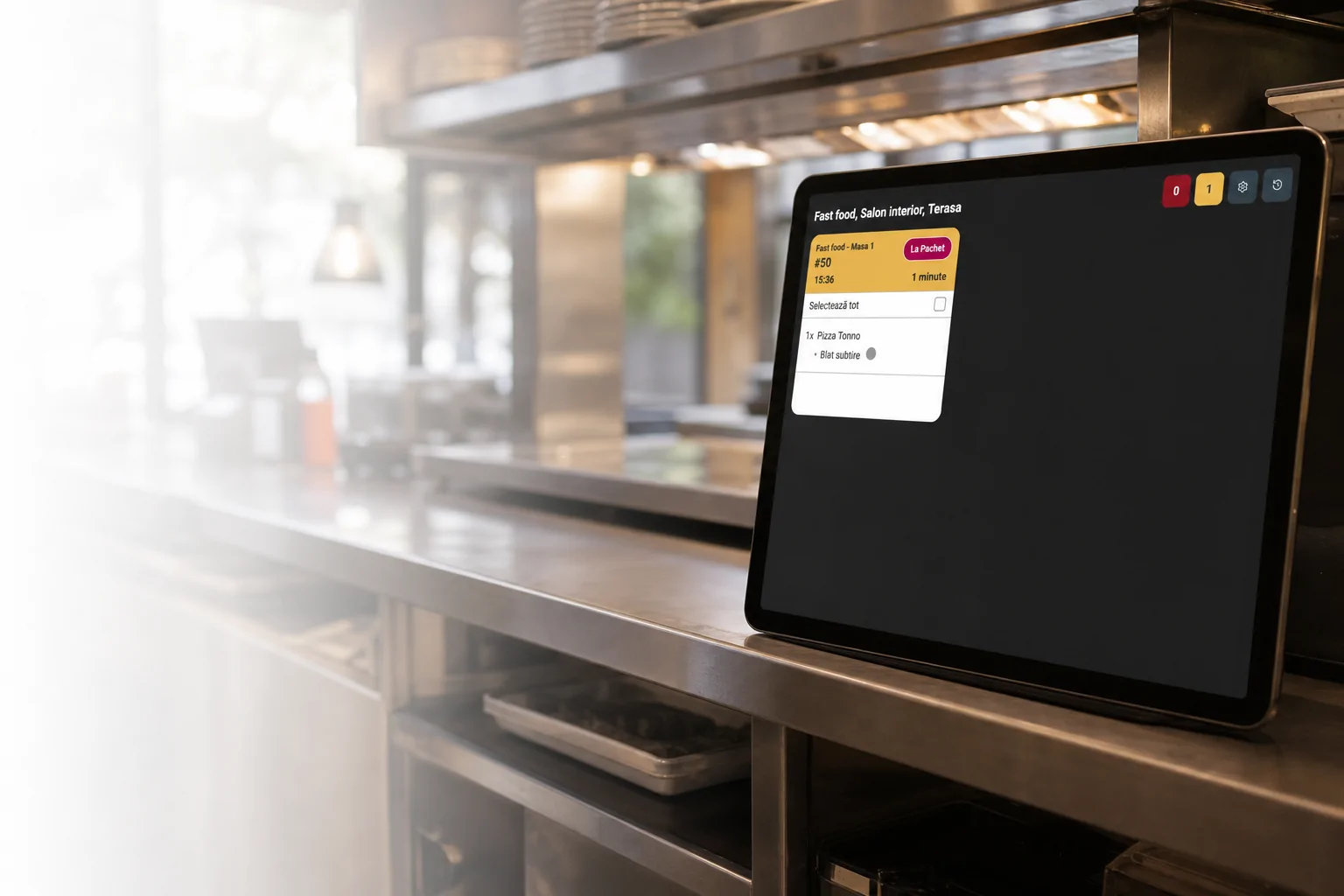
Kitchen Display (KDS) is the workspace used by the preparation team. Orders from connected channels are shown in one interface together with products, options and notes.
When the team updates an order, the change is sent to the other Nexus Retail applications without entering the information again.
For orders with multiple products, the team can see what is ready and what still needs attention while keeping the full order in view.
Check off products
Differentiate prepared products
Quantities
Options
Notes
Confirm order completion
Prevent accidental completion
Kitchen Display (KDS) does not operate as an isolated system. It receives orders from connected channels and sends statuses wherever that information is needed.
Manages application configuration, devices and connections.
Receives available data according to the configured integration.
Sends orders for preparation and receives status updates.
Self-service orders enter the same preparation flow.
Products ordered by the customer reach Kitchen Display (KDS) without manual re-entry.
Orders from active integrations can be sent into the Kitchen Display (KDS) flow.
Orders marked ready can be shown to the customer automatically.
Kitchen Display (KDS) is optimized for screens in preparation areas, where information must be easy to read and actions must be completed quickly.
Landscape screen
Tablet
Touch monitor
Cards readable from a distance
Large enough buttons
High contrast
Use in busy environments
Multiple devices in one location
Fullscreen or PWA mode
Kitchen Display (KDS) is the application used by the preparation team to view orders, products, statuses and waiting time in a shared flow.
Orders can be sent from connected applications and integrations such as POS & Orders, Kiosk Self-Service, online ordering or configured external platforms.
Yes. Changes made in connected applications can be reflected in Kitchen Display (KDS), and statuses updated in Kitchen Display (KDS) are passed through the ecosystem.
Kitchen Display (KDS) can display progress at product level so the team sees what is ready and what still needs completion.
Kitchen Display (KDS) shows a notification and updates the order information so the team can review changes before continuing.
The application can be associated with devices and locations configured in Administration, depending on the available infrastructure and rules.
When an order is marked ready, its status can be sent to POS & Orders.
During a demo, we present the order flow, the information available to the preparation team and how Kitchen Display (KDS) communicates with the other Nexus Retail applications.