
Centralized configuration
Important settings are managed in one place.
Administration is the management application where you configure Nexus Retail locations, applications, products, users, branding, and integrations.
For administrators
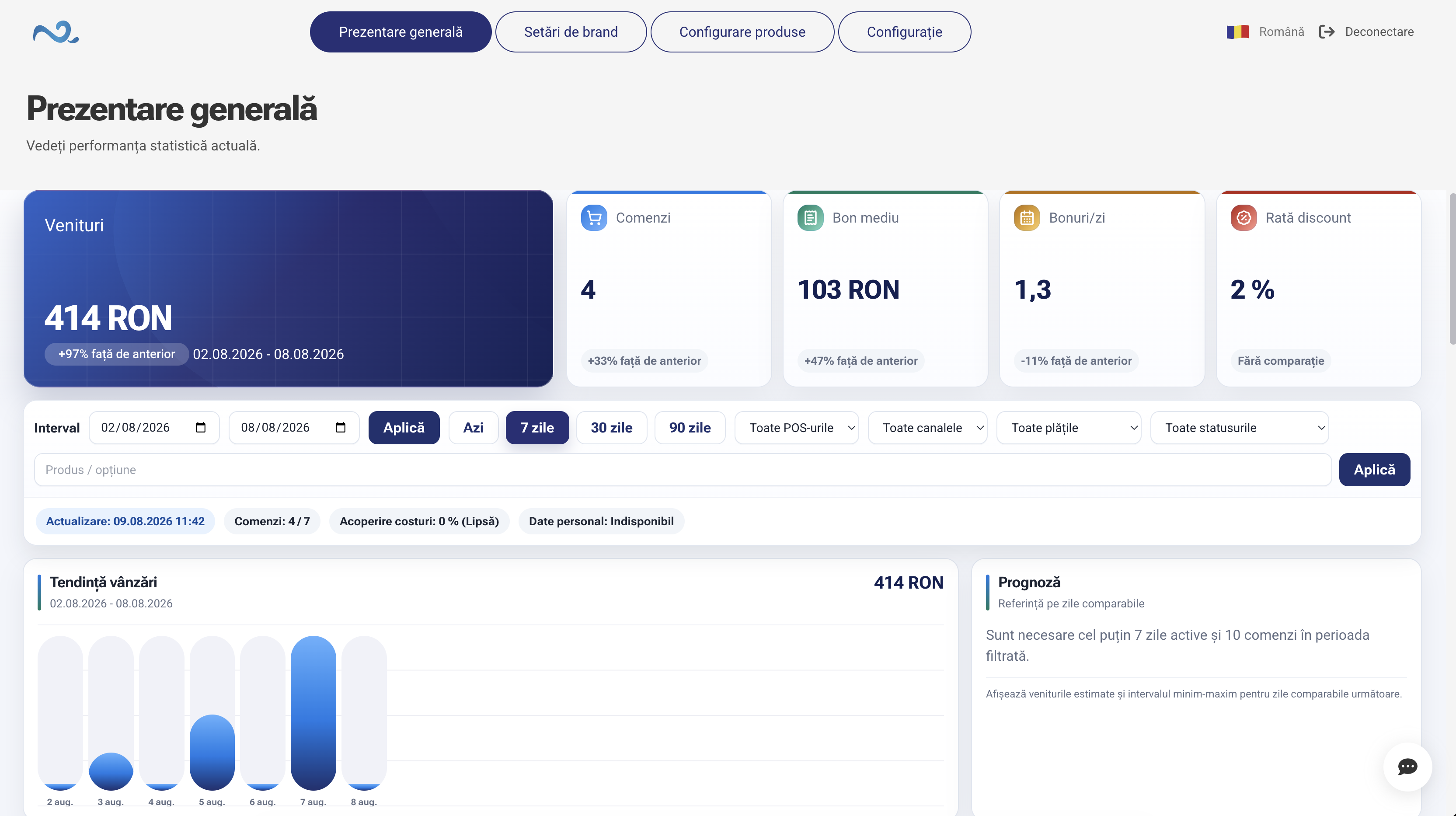
Administration brings the configurations used by Nexus Retail applications into one space. From here, you decide how each location works, which applications are available, and what experience employees and customers receive.
Changes are managed centrally, without configuring each device or application separately.
Important settings are managed in one place.
POS & Orders, Kiosk Self-Service, Kitchen Display (KDS), Order Status, and the other components stay connected.
Each point of sale can have its own configuration.
Administration centralizes the main components that define how Nexus Retail works.
Configure how applications and the available workflows operate in each location.
Manage products, categories, prices, and the information delivered to connected applications.
Control the visual identity and content shown in customer-facing applications.
Manage locations, devices, users, and their access.
Not every location has to work in the same way. From Administration, you can configure which applications and modules are available for each point of sale.
POS & Orders
Kitchen Display (KDS)
Order Status
Kiosk Self-Service
Reservations & Appointments
Quick Sale
Orders | Restaurant
From Administration, you manage the connections between Nexus Retail and integrated services so data and orders can move between configured systems.
Nexus ERP
Glovo
Wolt
Payments
Nexus Retail
Synchronization details are presented on the individual Integration pages.
Administration provides centralized management for multiple locations while preserving the flexibility to configure the specifics of each one.
POS & Orders + Kiosk Self-Service
POS & Orders
POS & Orders + Kitchen Display (KDS)
Administration is the application used to configure and manage Nexus Retail locations, applications, products, users, and integrations.
The application is intended for administrators and the people responsible for configuring and managing the Nexus Retail ecosystem.
Yes. Administration supports multiple points of sale and lets you adapt the configuration for each one.
The available catalog and visual elements are managed centrally in Nexus Administration and used by connected applications.
Nexus Retail integrates with Nexus ERP, and the available connections are managed within the ecosystem.
Discover how Administration connects applications, locations, devices, and settings in one administration space.