Take orders right at the table
With the dedicated waiter app, your team takes orders, follows preparation and handles payments at the table, connected to the kitchen and point of sale.


Mobile Waiter POS provides the information needed right at the table
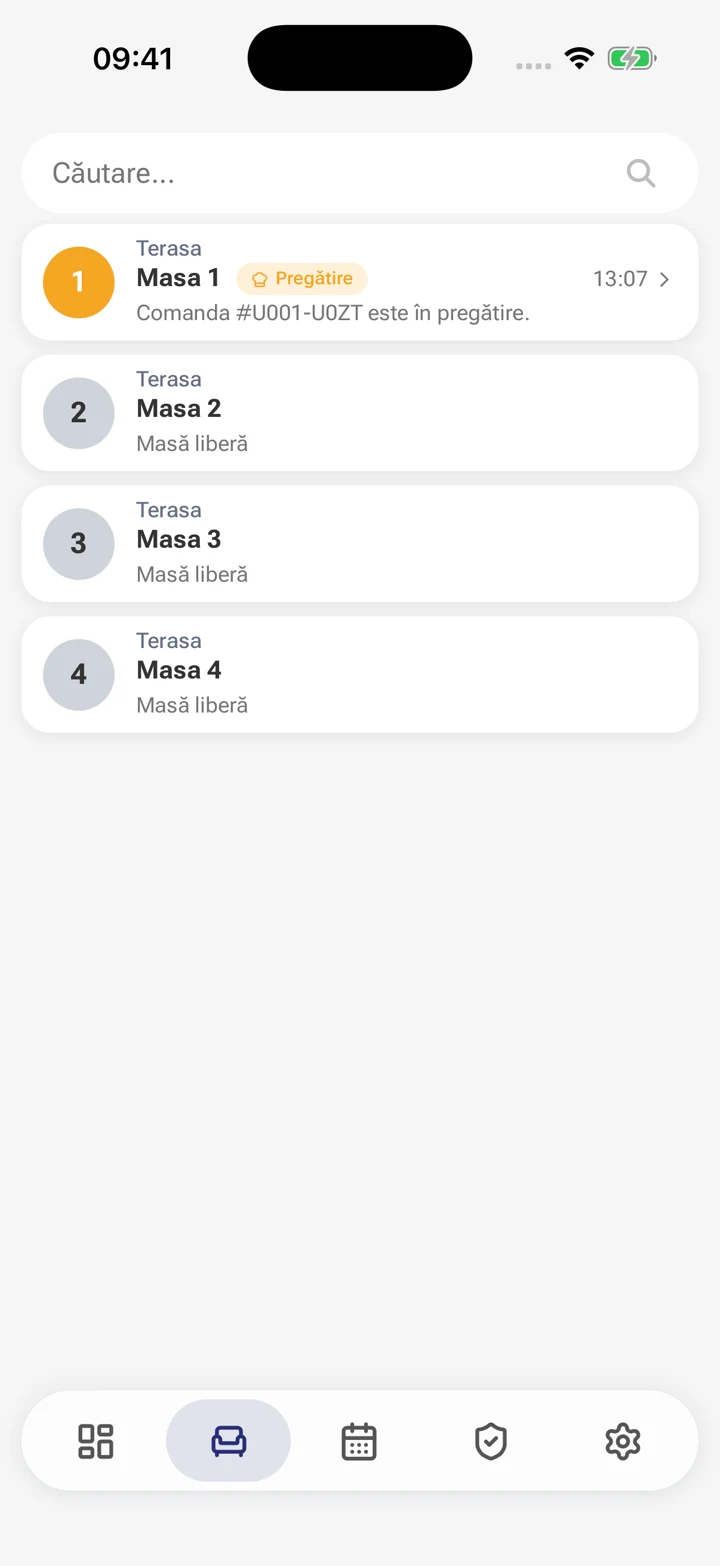
Assigned tables, active orders and service status.
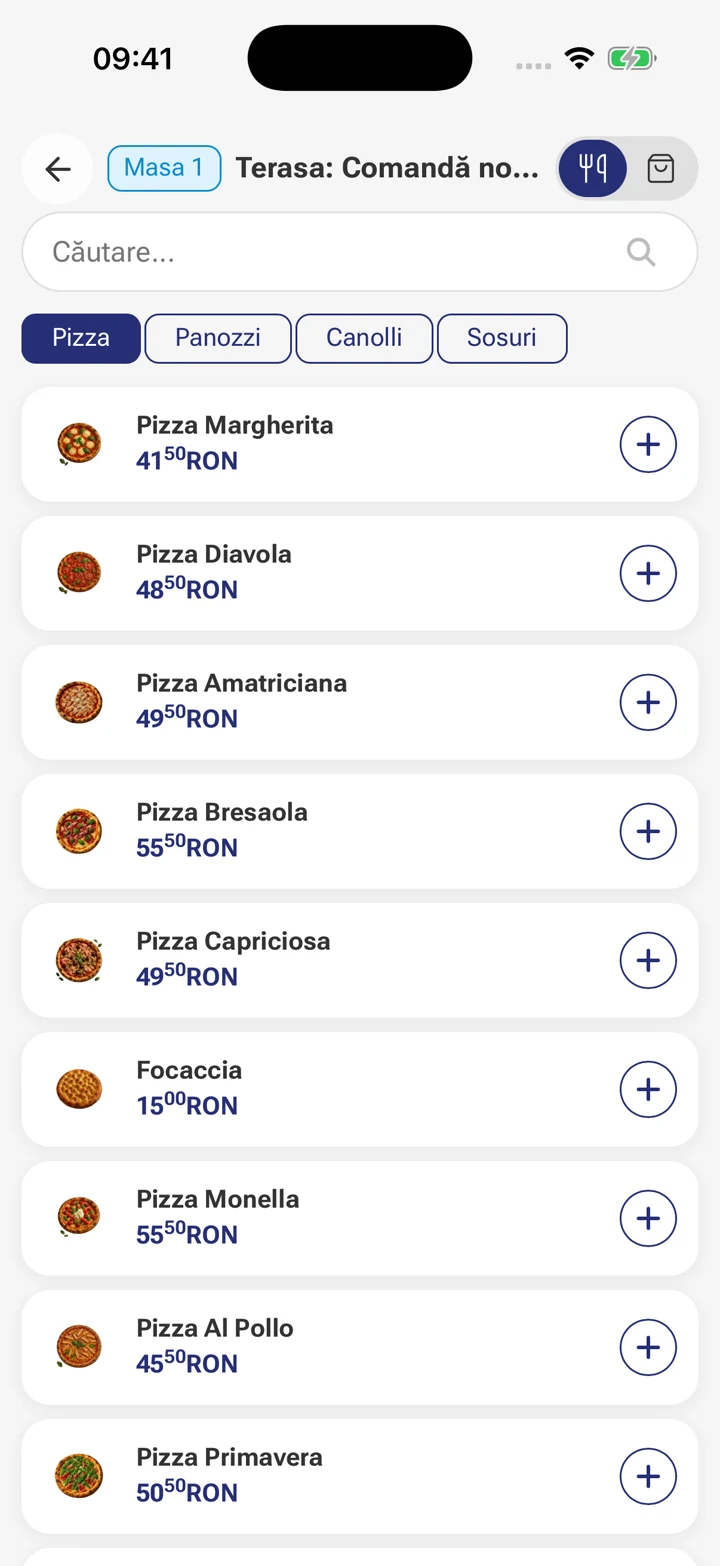
Products, options and notes added at the table.
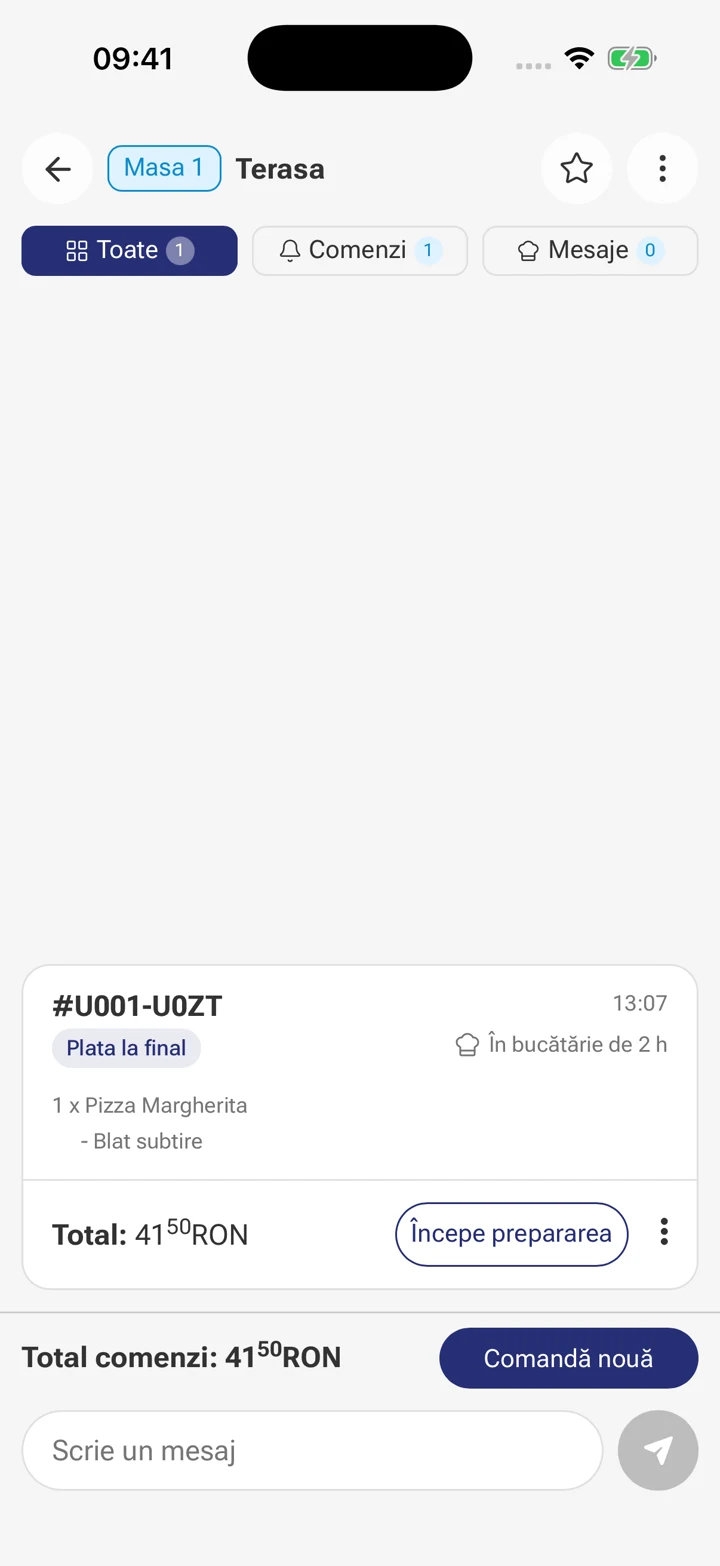
Orders sent to the kitchen and preparation updates.
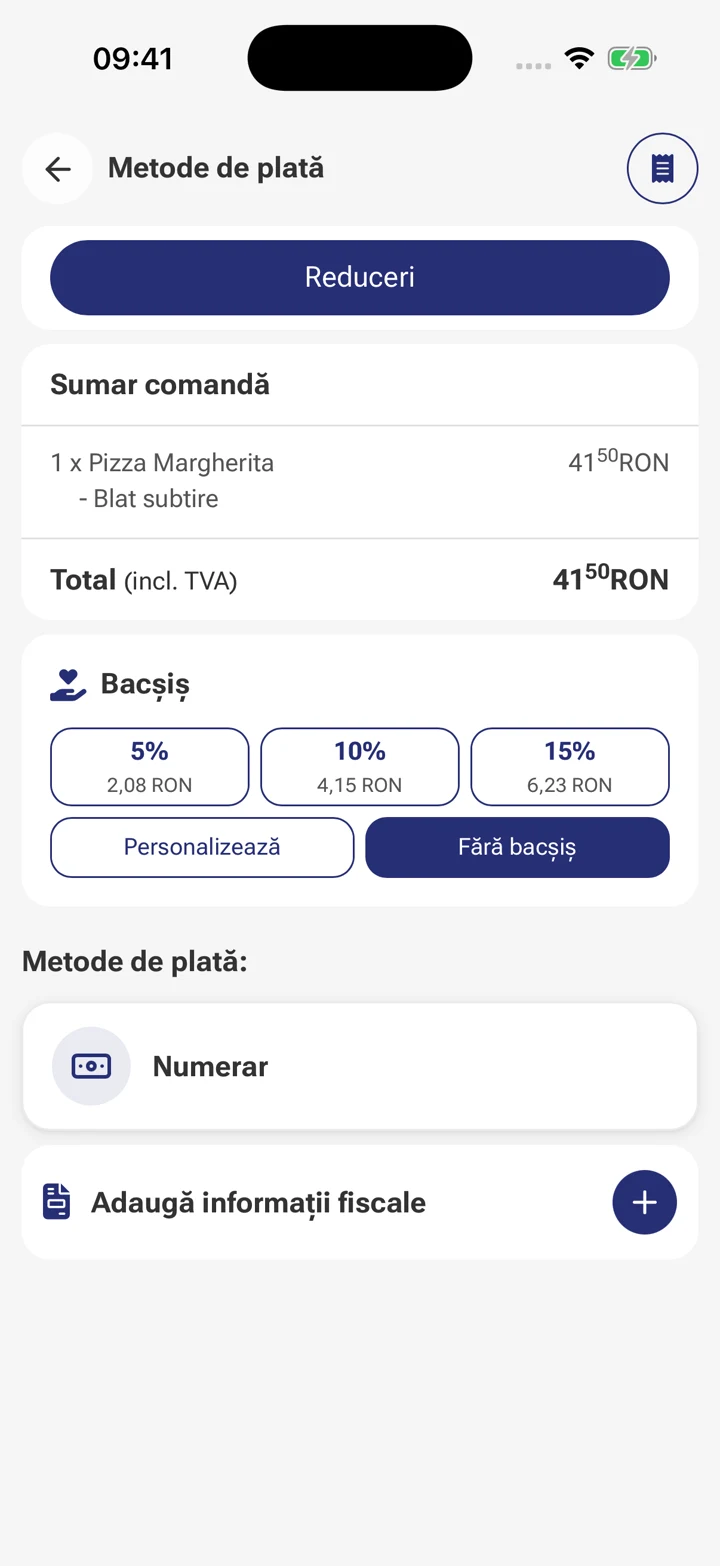
Totals, split bills and payments at the table.
-
Customer requests and messages for each table.
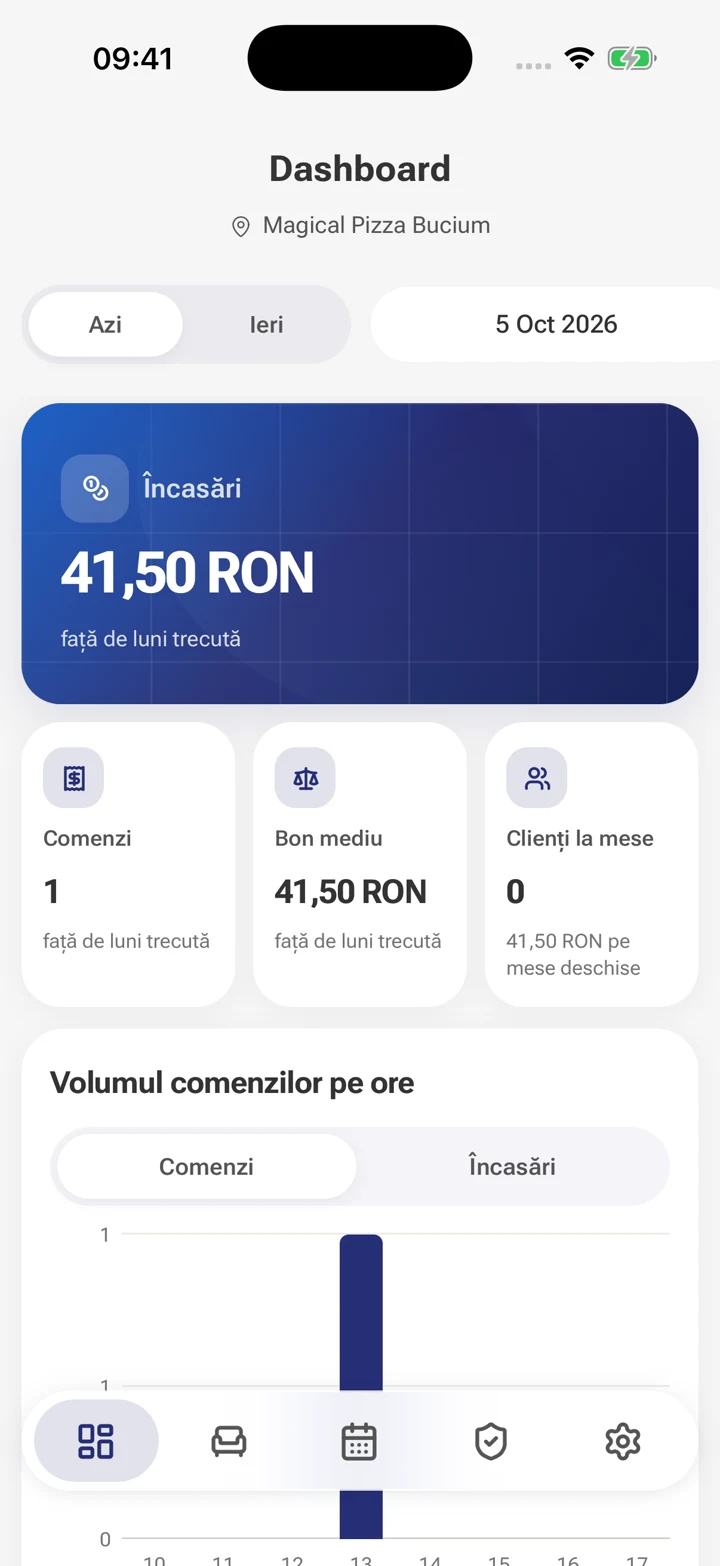
Head waiter approvals and a manager dashboard.
See what is happening at every table
Assigned tables and active orders are close at hand. Open a table, check its items and follow preparation without returning to the till for every update.
-
Choose a table and see its active orders.
-
Check the items, total and preparation status.
-
Continue service and payment from the same table.

The floor, kitchen and till work together
Questions about Mobile Waiter POS
Can I take orders at the table?
With the dedicated waiter app, your team takes orders, follows preparation and handles payments at the table, connected to the kitchen and point of sale.
Are orders connected to the kitchen?
Orders reach the kitchen while the floor team follows preparation.
Do all employees have access to the same features?
Available features depend on employee permissions and the location setup in Nexus ERP and Nexus Retail.
See how your team can use Mobile Waiter POS
We show you order taking and table tracking, with the features that fit how your restaurant works.